
How to Install StreamFlix on Firestick, Android TV, and ONN 4K
StreamFlix is a clean, free movies and TV app for Fire Stick, ONN, and Android TV. Here is how to install it in a couple of minutes and start watching, no subscription or sign-up.
If you want a clean, free app for movies and TV shows on your Fire Stick or ONN box, StreamFlix is one of the easiest to live with. No subscription, no sign-up, just install it, open it, and start watching. Here is how to get it on any of your devices in a couple of minutes.
What StreamFlix is
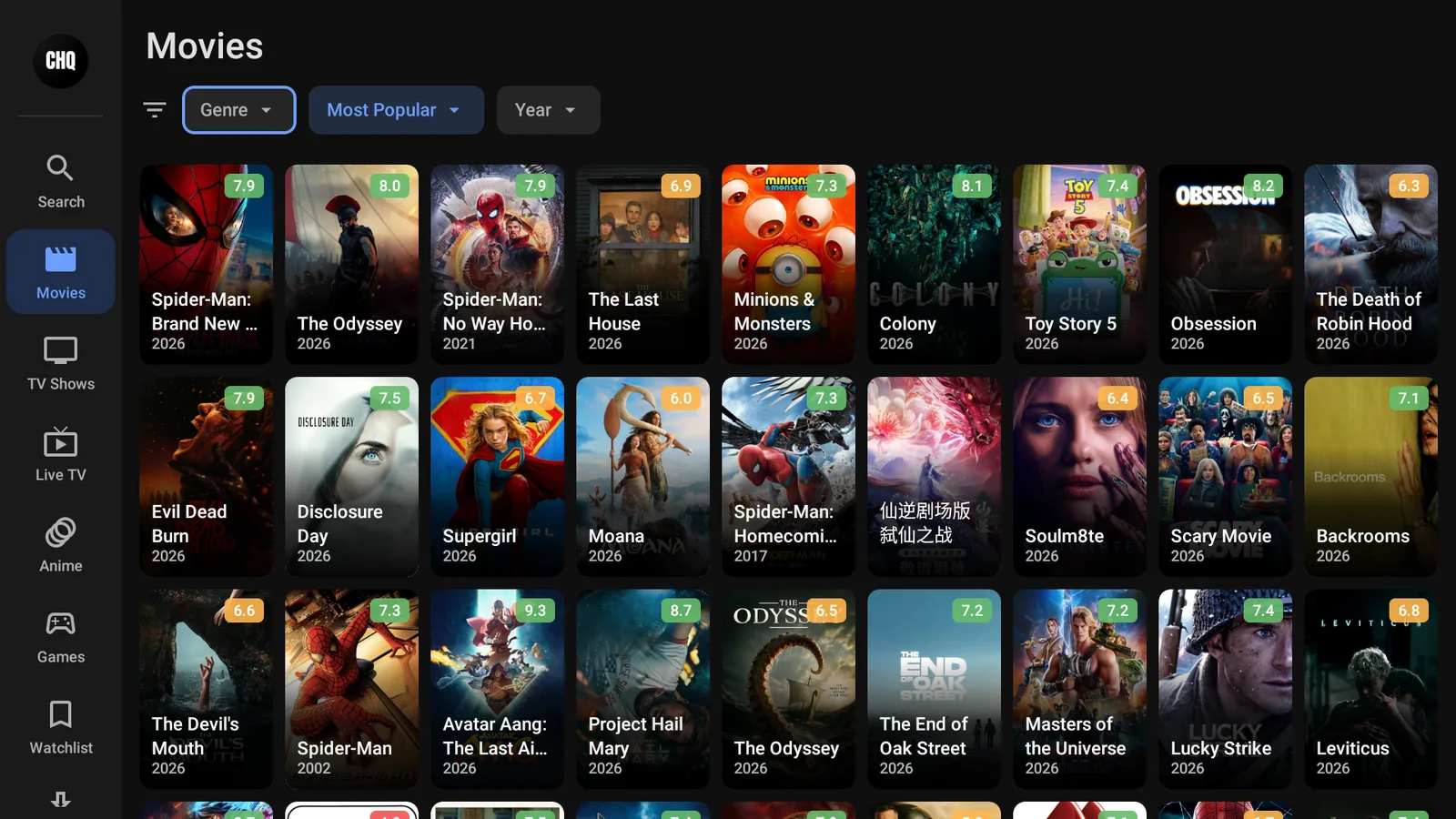
StreamFlix is a free on-demand app for movies and TV shows, with a tidy layout of posters, categories, and a search bar. It pulls in streaming links for whatever you pick. If you have used apps like CinePlus or the old BeeTV, it will feel instantly familiar, only cleaner.
Install StreamFlix on a Fire Stick
StreamFlix is not in the Amazon store, so you install it through our free tools. Easiest first:
- Open Downloader and type newstore.tv to install TV Wizard, our setup app that drops the app stores in for you.
- Or open LinkDrop at linkdrop.store, click Explore the collection, and find StreamFlix.
- Select Install, let it finish, and open it.
First time sideloading? Our plain guide covers every tap: how to sideload apps.
Install StreamFlix on an ONN 4K or Android TV box
ONN boxes make it even quicker.
- Install Browsy from the Google Play Store and use its StreamFlix code 13 , or
- Open LinkDrop on the box and install StreamFlix from the collection.
Open it once it lands and you are ready to watch. New to the ONN box? See ONN 4K vs Fire Stick.
Browsy has more codes below: (You can get over 60+ Applications)
1. TVWIZ.APK (no title)
2. Linkdrop
3. Browsy app
4. Unlinked
5. Reezn-2.0.14.apk (no title)
6. CinePlus 1.0.1b (Fluid Player)
7. FluidPlayer (FilmPlus) 2.0.35
8. Moviebox 3.0.12
9. Cinema HQ (CHQ) - v7.2
10. BeeTV - v4.7.4 (Use Fluid Player)
11. FlixVision 3.7.0 Ad-Free (Use Virtualizer under Tools To Launch it)
12. Flixoid - v3.0.6 Ad-Free
13. StreamFlix 1.7.127 (Choose English Providers TMDB)
14. FilmPlus - 2.4.9 Ad-Free (Fluid Player or Other Player Select in Settings)
15. Sportz X 2.5v Ad Free
16. HDO Box (Working July)
17. Bear Player - v2.20.28 (Now Fluid Player)
18. Reezn 2.0.14
19. NoroFire 1.2.0 (SportsFire and StreamFire One App USE this for NEWEST VERSIONS!)
20. UK Turks 2.0.1
21. OceanStreamz - v3.5.10
22. StreamFire TV 2.1.0 (Install in NoroFire or HERE)
23. Voltra TV
24. OnStream 1.0.0 (1.1 is Blocked)
25. SportsFire 3.1.0 (Install in NoroFire or HERE)
26. AK47 1.6 Premium
27. HD Streamz 3.12
28. MobiFlix 1.0.2 If Crashes has Onstream (same app)
29. CinePlus (Use BearPlayer)
30. Sportzfy 27
31. Drama Player 1.0.12
32. NetFly 3.0.3 (Paid Service Now)
33. Nova TV 2.4.8 (Use AM Player)
34. GeeSports Pro 3.6
35. Phantom Movies (One-Click)
36. TFlix 1.0
37. Tea TV 11.1.8r Mod (Back Up use T-Player) - Patched
38. Pikashow v94
39. HDO Box - 2.1.4
40. Stremio 1.9.12 (WARNING: USE VPN)
41. Live Net TV 1.8.3 (Firestick Edition)
42. PlayFY 1.7
43. Kodi 21.3
44. Viva TV 1.8.1 (Ad-Free) - TPlayer Required
45. IPVanish (Firestick, ONN TV, Android TV)
46. BAnime
47. Popcorn HD
48. NetMirror TV
49. AM Player 3.0.6 - Nova TV Movie HD
50. MX Player No-Ads (Premium)
51. VLC Player 3.5.4
52. App Virtualizer 1.2.7 (Use this to Fix Apps)
53. TPlayer 8.0a (TeaTV Player)
54. NVPlayer 1.1.9 (BeeTV)
55. VirusTotal
56. Media On
57. Filmzie
58. Vibe Player
59. App Cloner
60. RLaxx TV
61. Cartoon HD 3.3.5 (MV Cast Player)
62. Anilab (Anime) New
63. Fawesome Movies
64. Pluto TV
65. MV Cast (Cartoon HD)
66. Ola TV (KShaw Required)
67. Xumo TV
68. KShaw (Ola TV)
69. Movie HD 5.5.6 (Use AM Player)
How StreamFlix works
- Browse the rows on the home screen, or hit Search and type a title.
- Select a movie or show to open its page.
- StreamFlix lists the streaming links it found, usually sorted by quality.
- Pick one and it plays. If a link is slow, back out and try the next one down.
That last habit is the whole trick. Not every source is fast at every moment, so if one stalls, the next link almost always sorts it.
Turn on your VPN first
On any app like this, connect a VPN before you stream. Without one your provider can see what you watch and quietly throttle it, which is what most buffering actually is. We use IPVanish on a United States server. Here is why a VPN matters.
If StreamFlix will not play
- Reconnect your VPN and try again.
- If a title will not play, pick the next link down the list.
- Restart the Fire Stick or ONN box if it has been running a while.
- Reinstall the latest StreamFlix from LinkDrop.
If an app is installed but simply will not open, that is a separate block with its own fix: when an app won't open.
Stay private on your Fire Stick with IPVanish
It's the VPN I run on my own Fire Stick. It hides what you stream and sideload from your internet provider, and unblocks a lot more.
Frequently asked questions
Is StreamFlix free?+
Yes. Install it from LinkDrop or through TV Wizard and there is nothing to pay.
Does StreamFlix work on ONN and Android TV?+
Yes. Install it with Browsy or LinkDrop on an ONN or Android TV box, the same as on a Fire Stick.
A stream keeps buffering, what do I do?+
Connect your VPN, then try the next link down the list. That covers the two most common causes, a slow source or provider throttling.
Is StreamFlix better than BeeTV?+
BeeTV is dead, so StreamFlix (or CinePlus) is the better pick simply because it works. Here is the BeeTV replacement guide.
Comments0
Join the conversation. Be kind, and no piracy talk.