
Cinema HQ on Fire TV Stick: Features, Setup, and Streaming Tips
Set up Cinema HQ on your Fire TV Stick, learn what it does best, and fix common crashing, buffering, and loading problems.
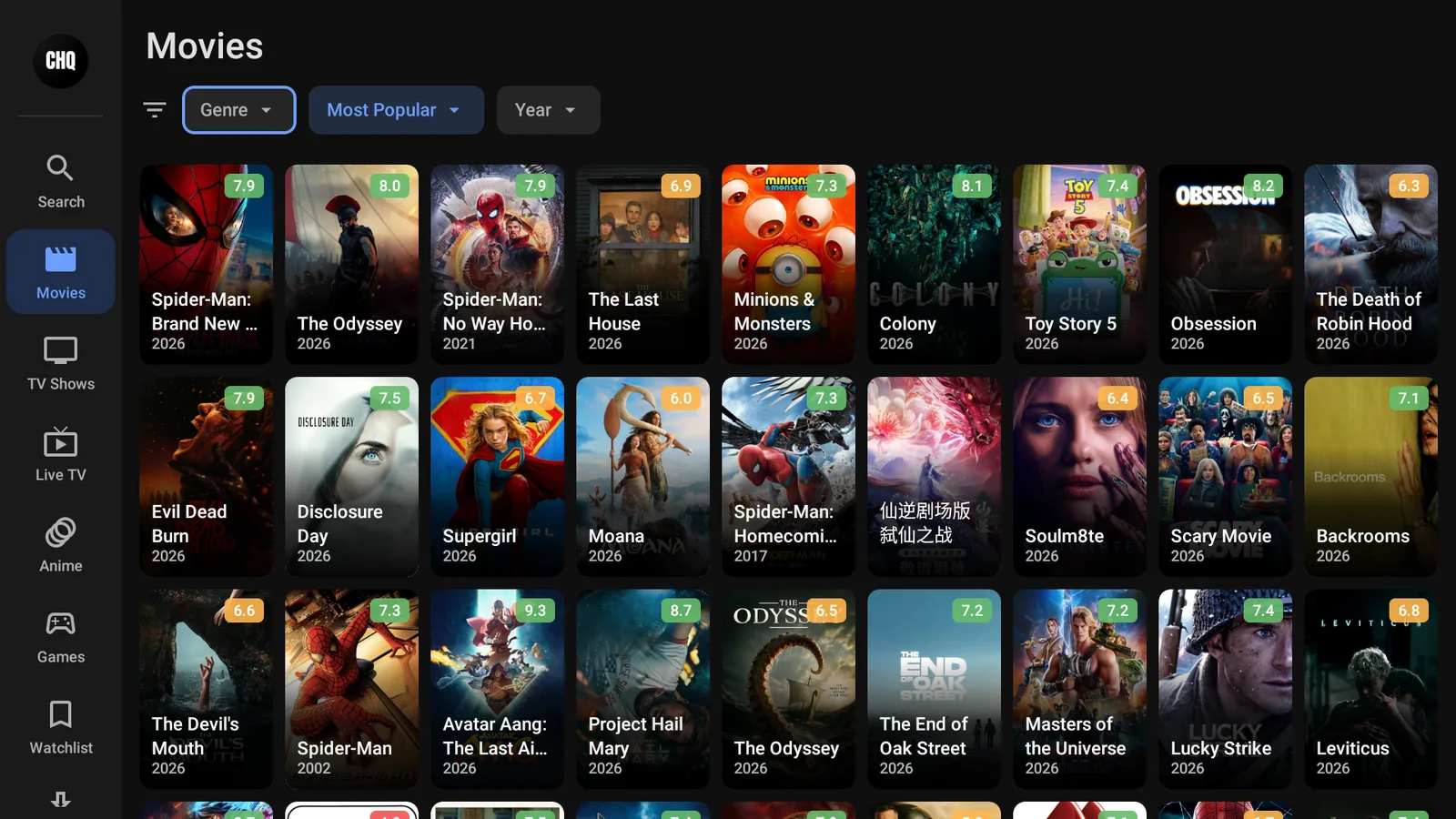
Cinema HQ can still be installed on a Fire TV Stick in 2026, but it is not as reliable as it used to be. The best approach is to install it cleanly, keep your Fire Stick tidy, and have a couple of backup apps ready if links stop loading.
What Cinema HQ does
Cinema HQ is a third-party streaming app that gathers movie and TV show links from online sources and puts them inside a Fire TV friendly interface.
It is not in the Amazon Appstore, so you install it by sideloading. If you have never done that before, use my full Fire Stick sideloading guide first, then come back here for the Cinema HQ-specific setup.
Cinema HQ works on these Fire TV devices:
- Fire TV Stick Lite
- Fire TV Stick
- Fire TV Stick 4K
- Fire TV Stick 4K Max
- Fire TV Cube
You want three things before installing it:
- A stable internet connection.
- Enough free storage for the app and its data.
- Downloader installed and allowed to install unknown apps.
What to know before installing it in 2026
Cinema HQ has had reliability issues in 2026. Some users run into server downtime, broken links, buffering, and inconsistent updates.
That does not mean it will never work. It means you should treat Cinema HQ as one app in your setup, not the only app on your Fire Stick.
If you want a cleaner all-around setup, start with my Firestick setup checklist. It helps you clear space, prepare Downloader, and avoid the usual Fire Stick problems before installing third-party apps.
Prepare your Fire Stick
First, make sure your Fire Stick can install apps from outside the Amazon Appstore.
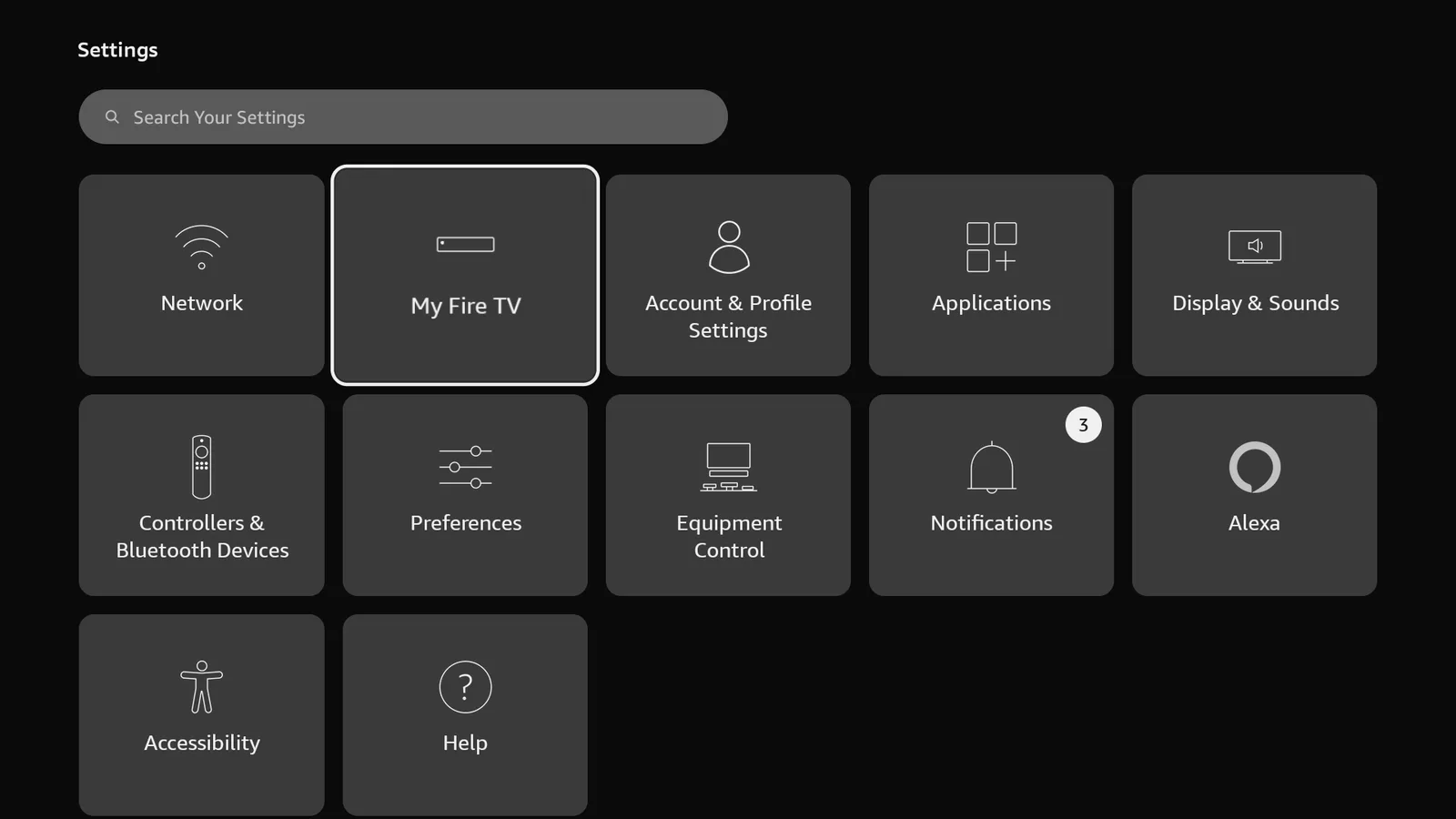
- Open Settings from the Fire TV home screen.
- Select My Fire TV.
- Open Developer Options.
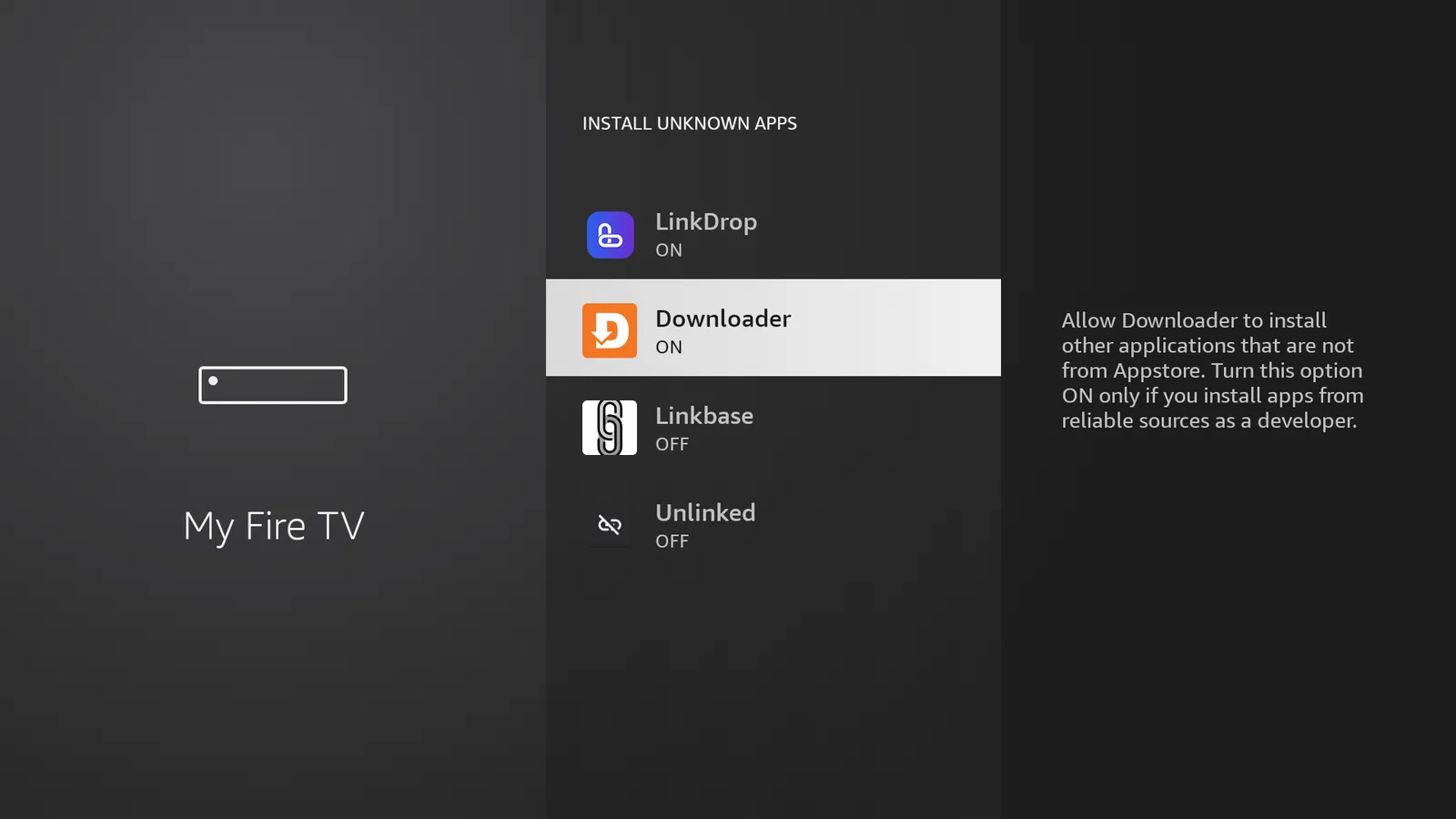
- Select Install Unknown Apps.
- Turn Downloader to ON.
If Developer Options is missing:
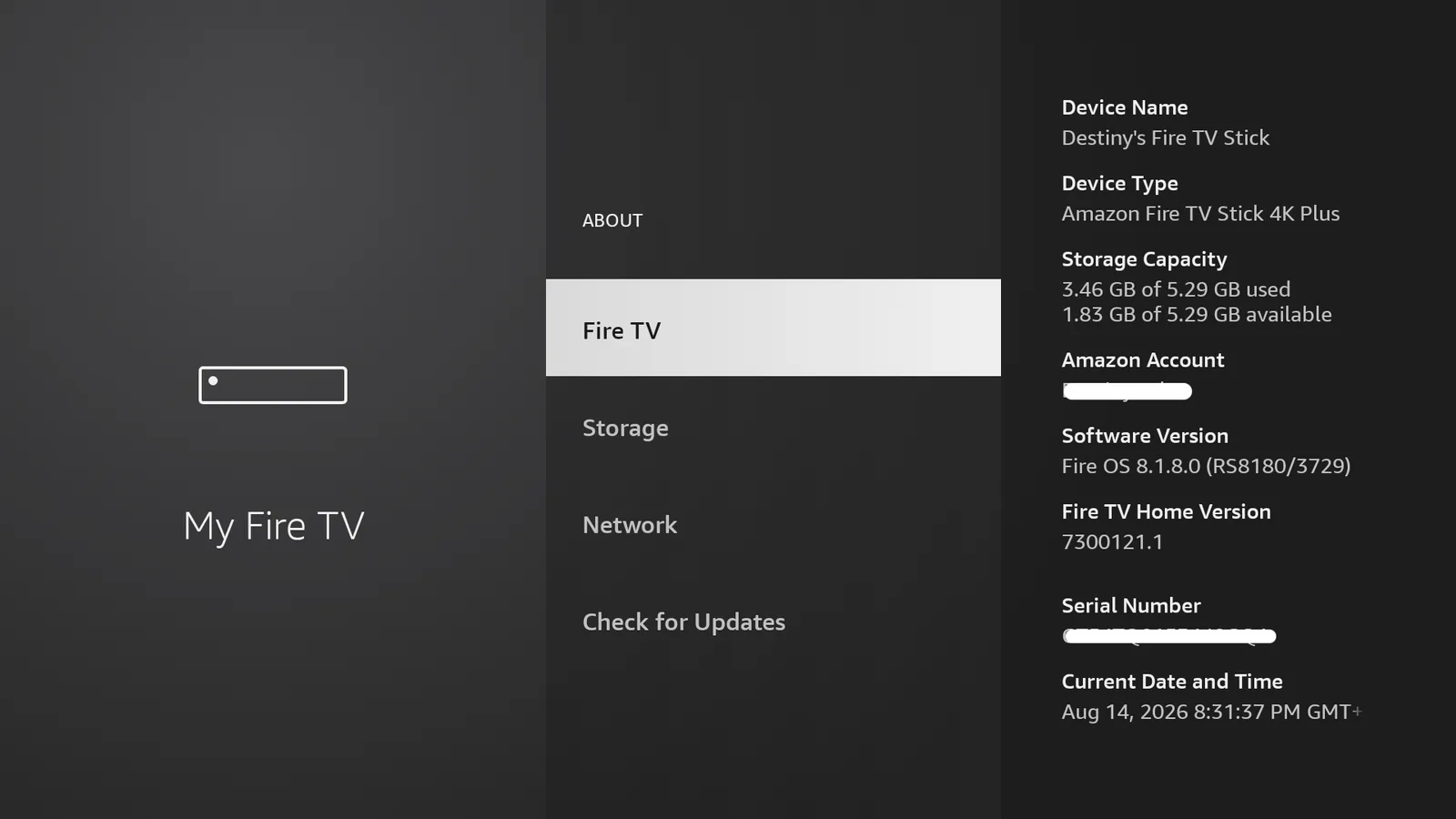
- Open Settings.
- Select My Fire TV.
- Open About.
- Highlight your Fire TV device name.
- Press the select button seven times.
- Go back to My Fire TV and open Developer Options.
For a more detailed walkthrough, use my Firestick Developer Options guide.
Install Cinema HQ using TV Wizard
The easiest way to get Cinema HQ is through TV Wizard, my setup app. It installs the app stores for you, so you do not have to add everything one by one.
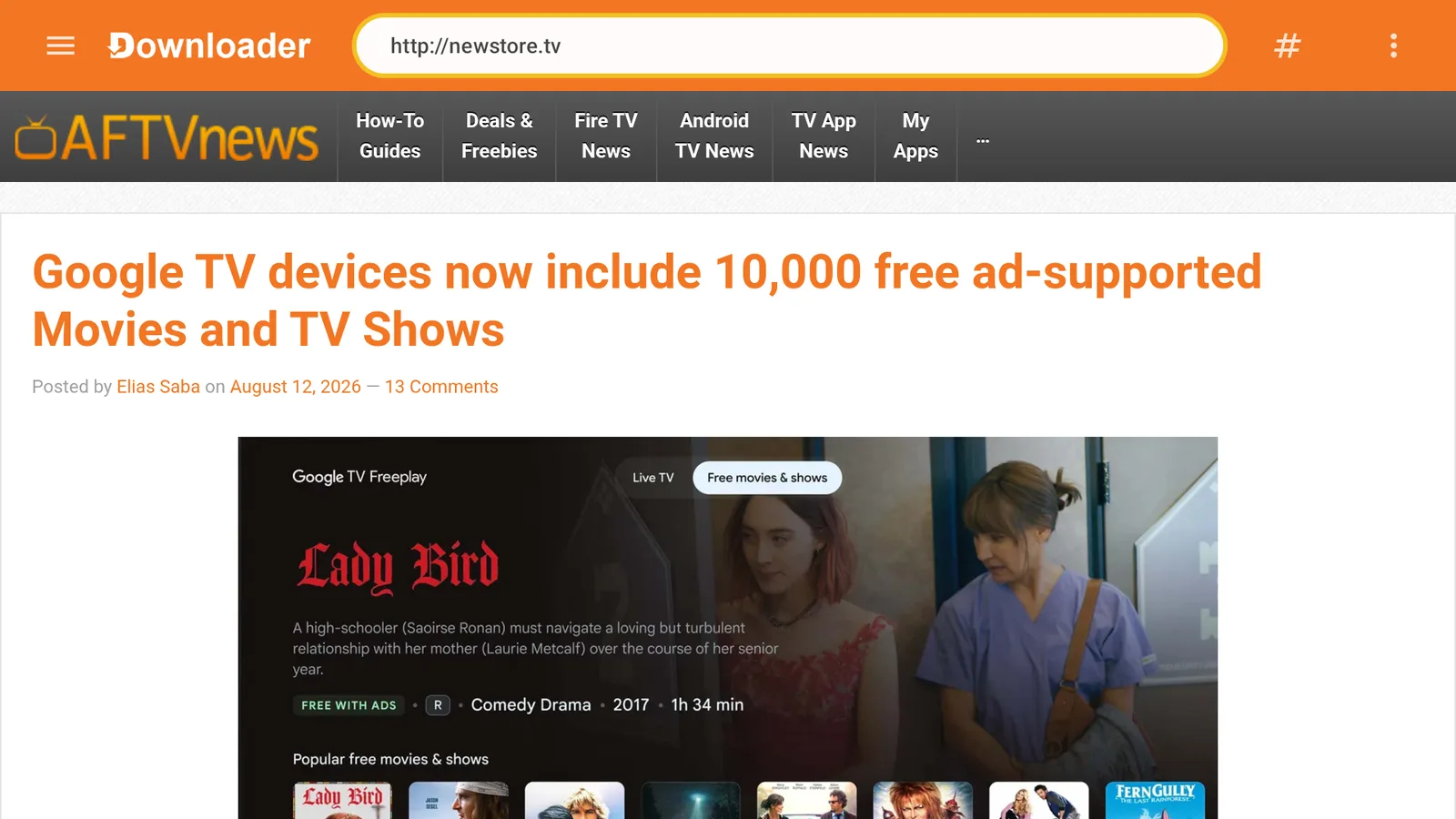
- Open Downloader.
- Select the URL box.
- Type newstore.tv.
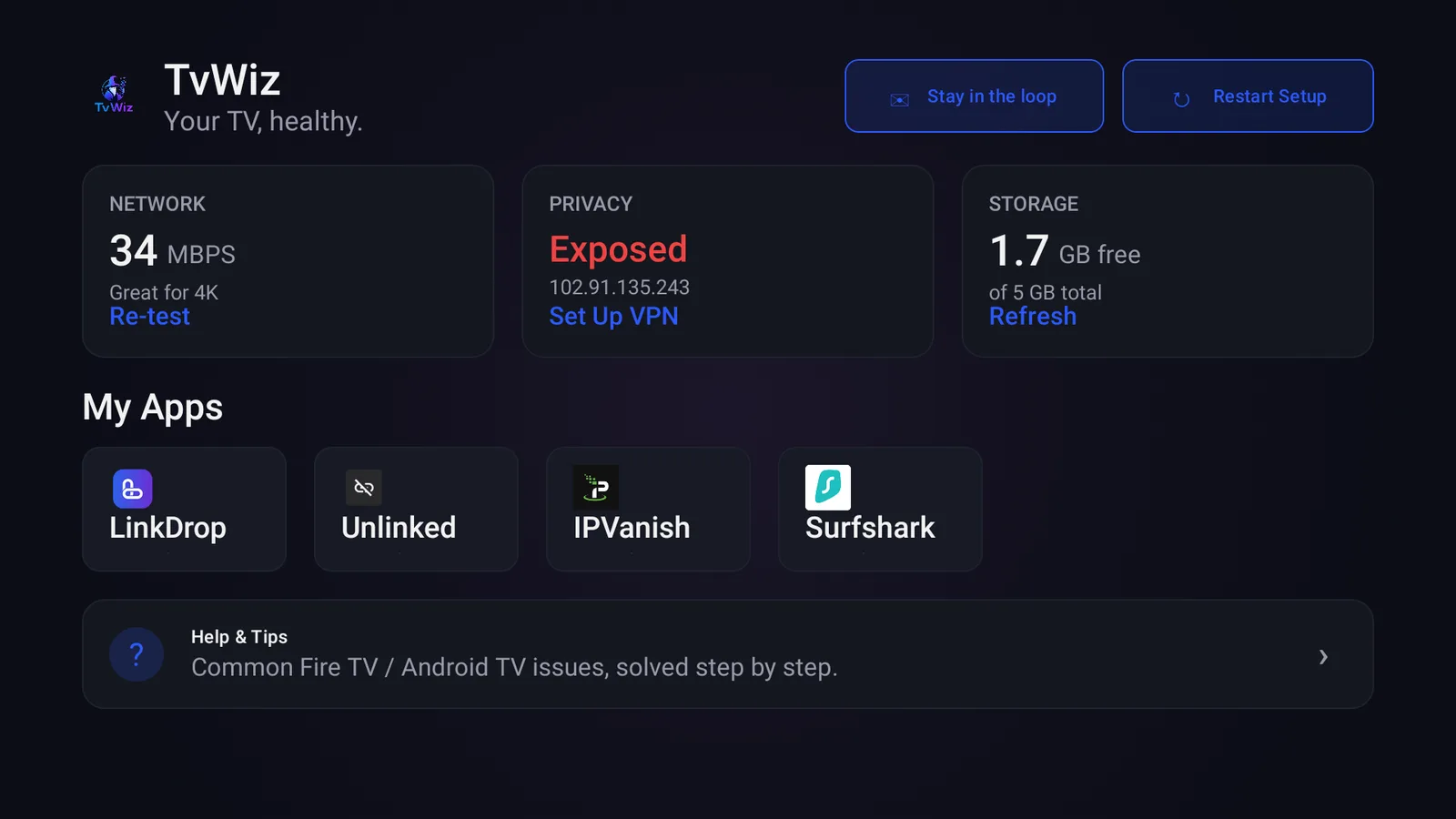
- Install TV Wizard.
- Open TV Wizard and let it install the app stores.
- Open LinkDrop.
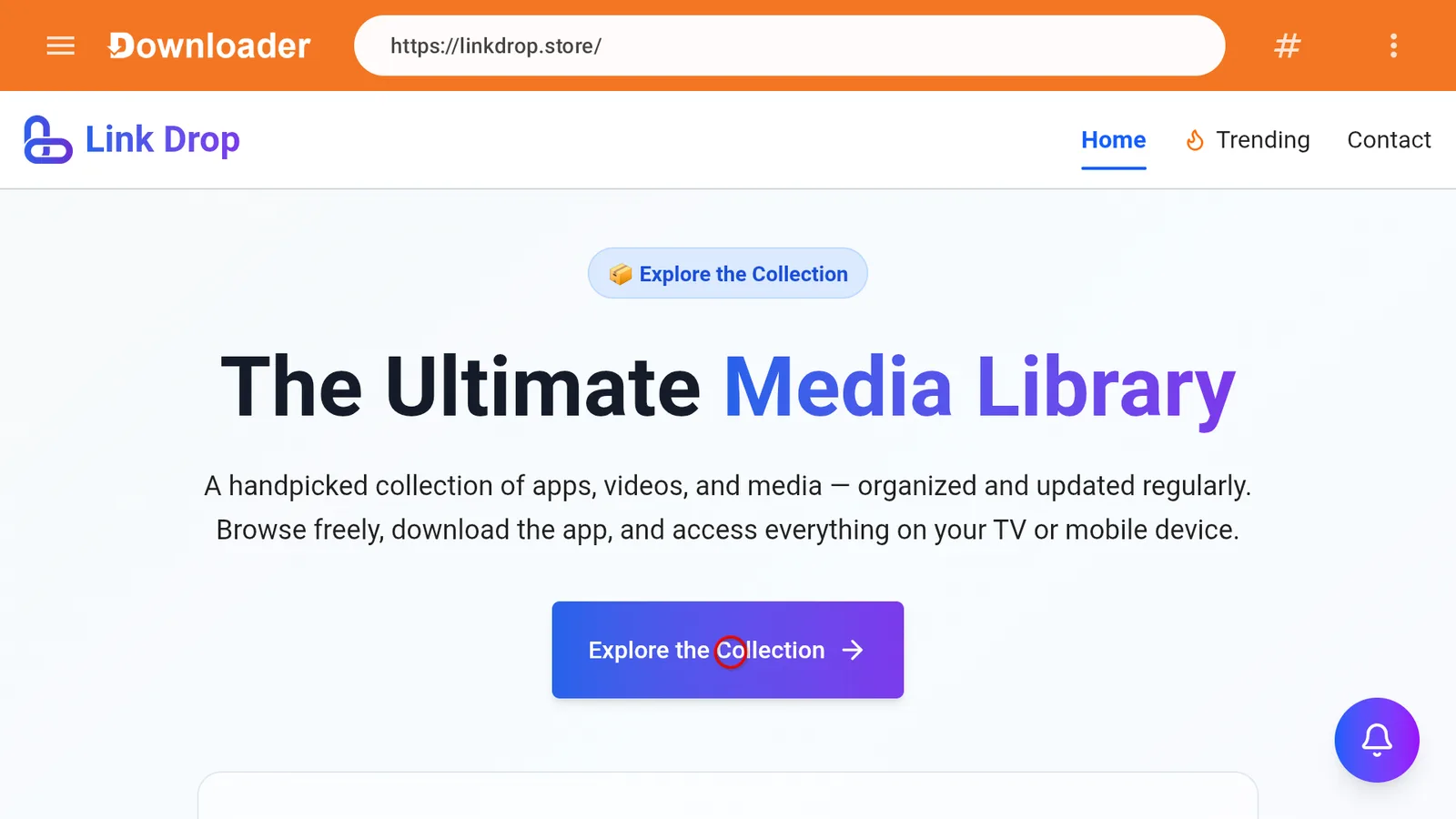
- Click Explore the collection.
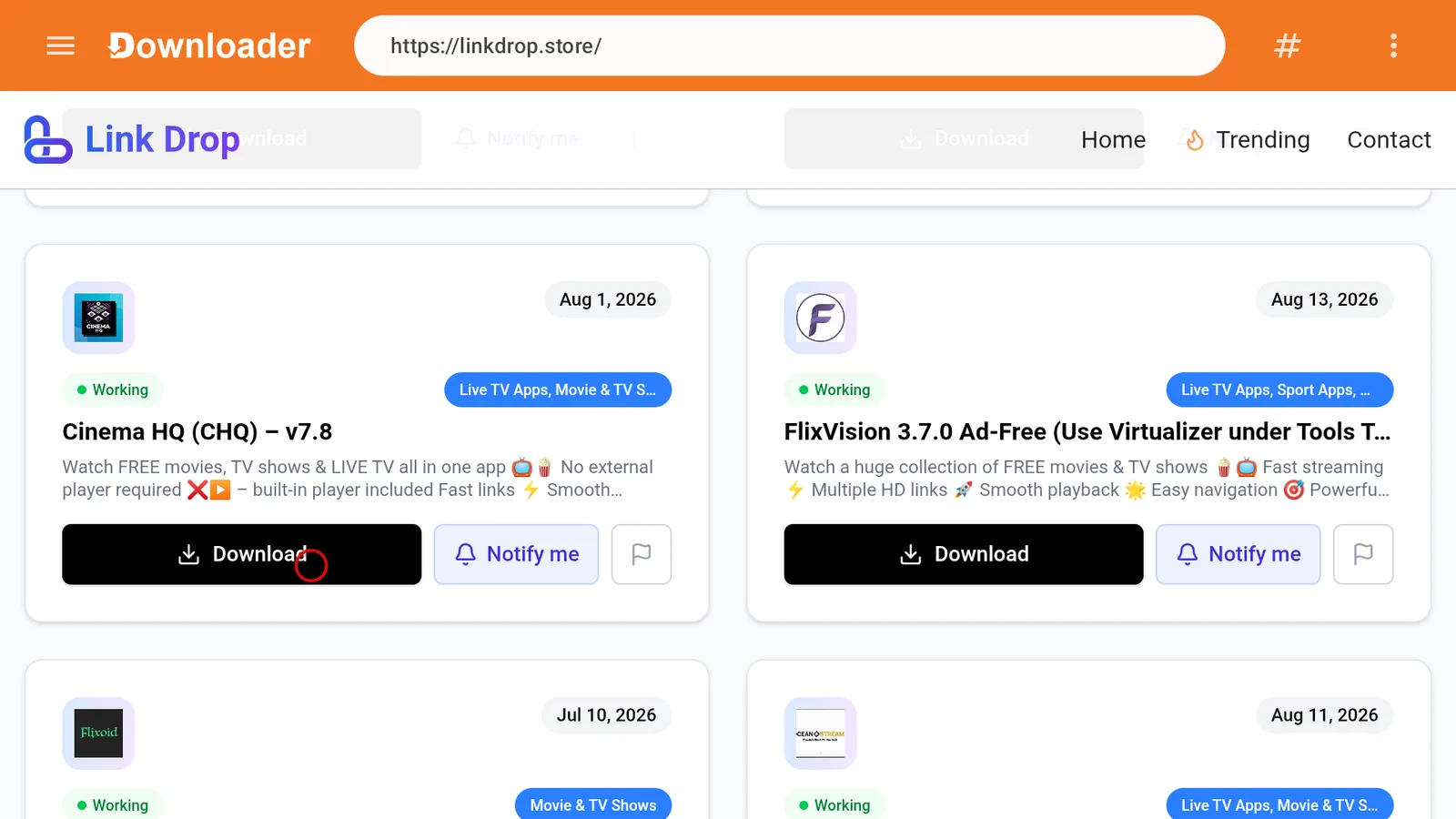
- Find Cinema HQ.
- Install it.
That is the cleanest route because LinkDrop is the store I use for finding and installing apps like Cinema HQ, FilmPlus, StreamFlix, FlixVision Ad-Free, OceanStreamz, and more.
If you want a broader look at the store setup, use my best Firestick app stores guide.
Install Cinema HQ directly from LinkDrop
If you already have a browser or Downloader ready, you can also go straight to LinkDrop.
- Open Downloader or your Fire TV browser.
- Enter linkdrop.store.
- Click Explore the collection.
- Select Cinema HQ.
- Download and install the APK.
- Select Done after installation.
- Delete the APK file if prompted, this saves storage.
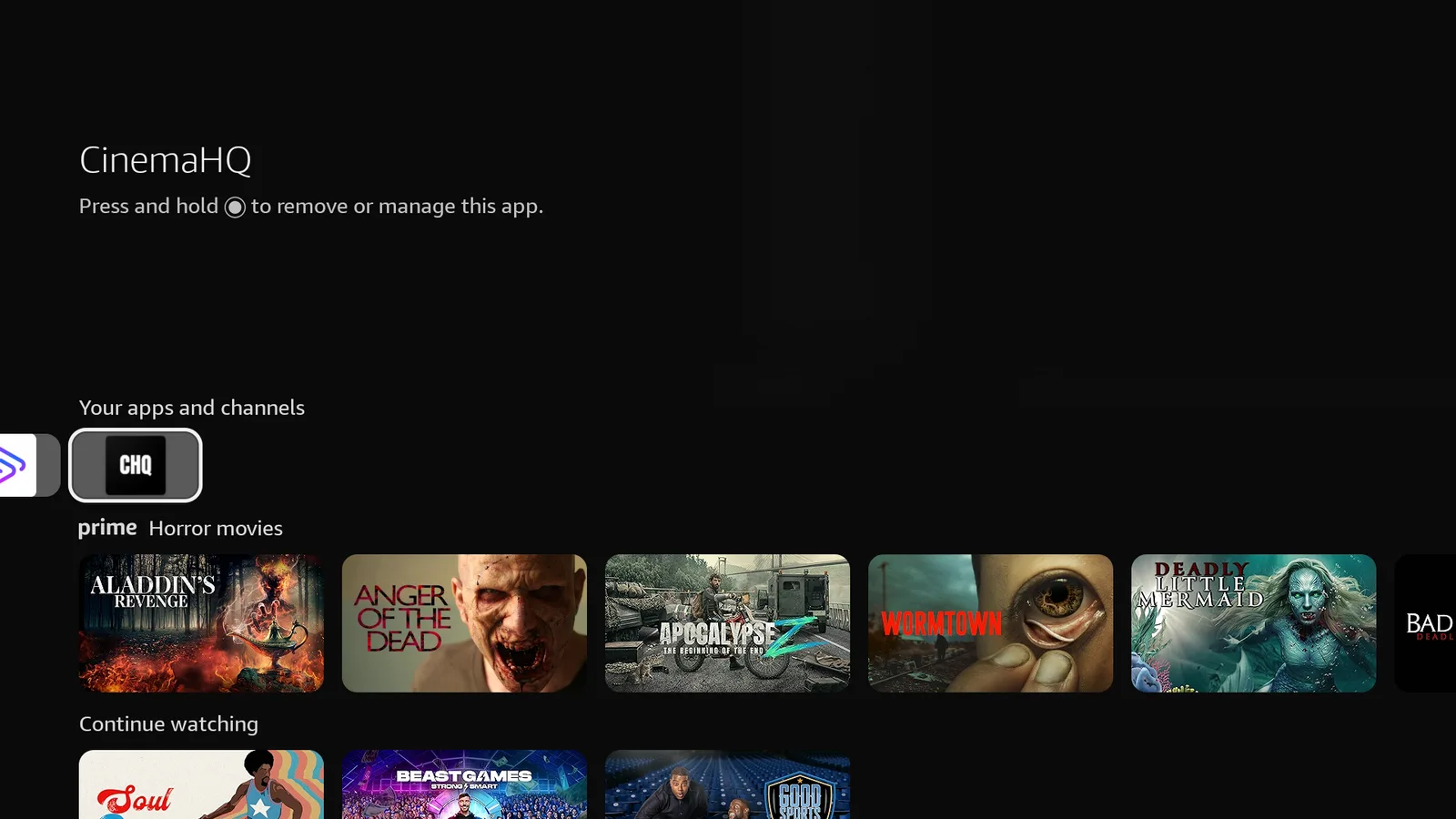
- Open Cinema HQ from your apps list.
If the app does not appear on your home screen right away:
- Hold the Home button on the Fire Stick remote.
- Select Apps.
- Find Cinema HQ.
- Press the menu button.
- Choose Move to place it near the front.
First settings to check inside Cinema HQ
Open Cinema HQ and give it a minute to load. The first launch can be slower than normal, especially on older Fire Sticks.
Check these basics first:
- Make sure the app opens to the main movie or TV section.
- Try a popular title before testing something obscure.
- Test a few different links if the first one fails.
- Back out and reopen the app if the menus do not populate.
- Restart your Fire Stick if Cinema HQ freezes on first launch.
Avoid filling your Fire Stick with too many apps at once. Fire TV devices slow down fast when storage gets tight.
Streaming tips that actually help
Cinema HQ depends heavily on the links it finds, so performance can change from one title to another. These tips help keep playback more consistent.
Use a strong internet connection
If your Fire Stick is far from the router, buffering is more likely. Move the Fire Stick closer to the router if possible, or use a better Wi-Fi band if your setup supports it.
Keep storage free
Low storage causes crashing, slow menus, and failed installs. Open:
Settings > Applications > Manage Installed Applications
Remove apps you do not use and clear cache from large apps.
Close background apps
Too many apps running in the background can make Cinema HQ stutter. Restarting the Fire Stick is the quickest way to clear memory.
Open:
Settings > My Fire TV > Restart
Use IPVanish
I run IPVanish on my Fire Stick. Get IPVanish, open the app and sign in, then connect to a United States server with WireGuard.
That is the setup I prefer for Fire TV streaming because it is simple and fast.
How to fix Cinema HQ crashing or freezing
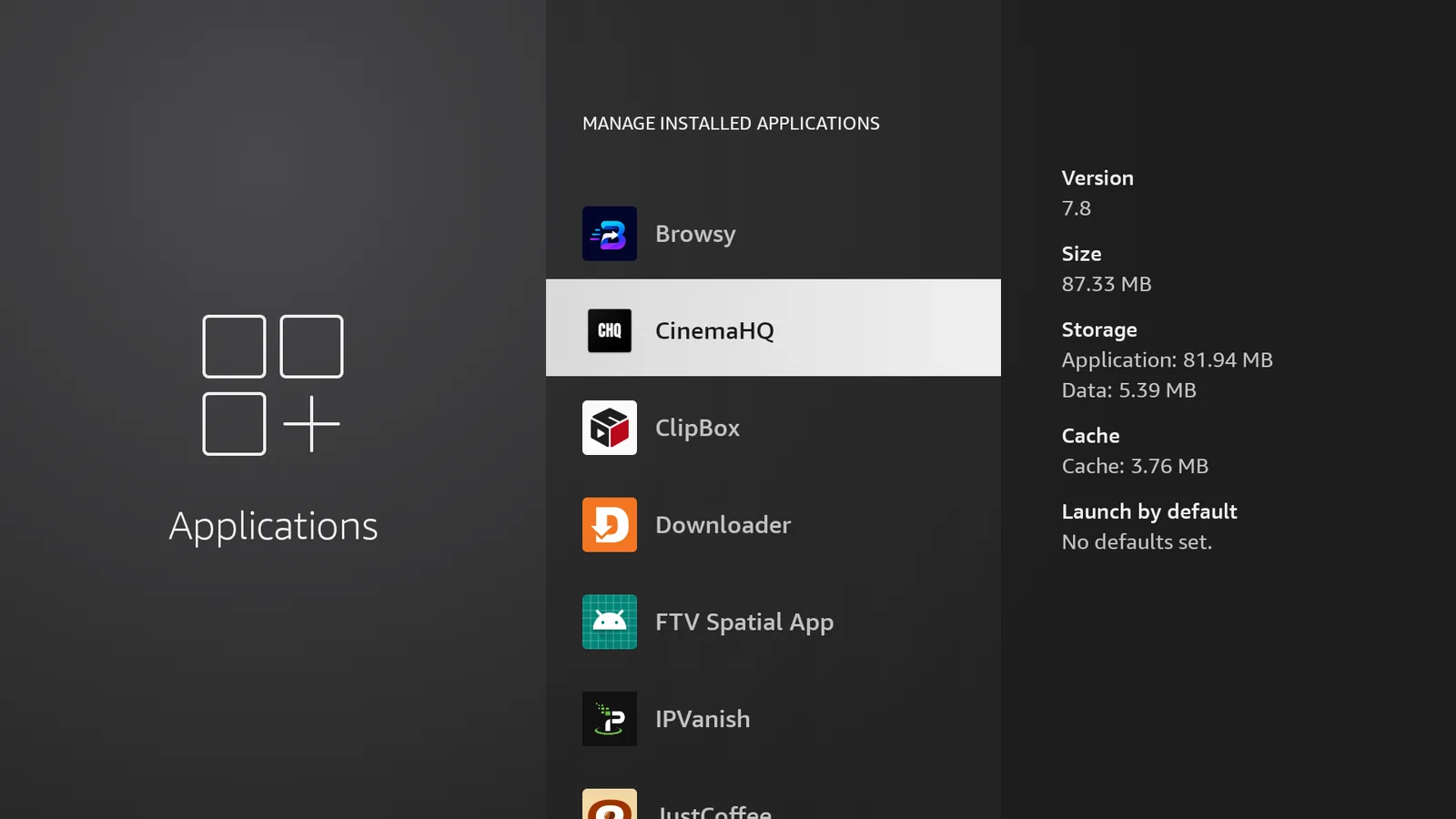
If Cinema HQ opens and then crashes, clear the app cache first.
- Open Settings.
- Select Applications.
- Select Manage Installed Applications.
- Choose Cinema HQ.
- Select Clear Cache.
- Reopen the app.
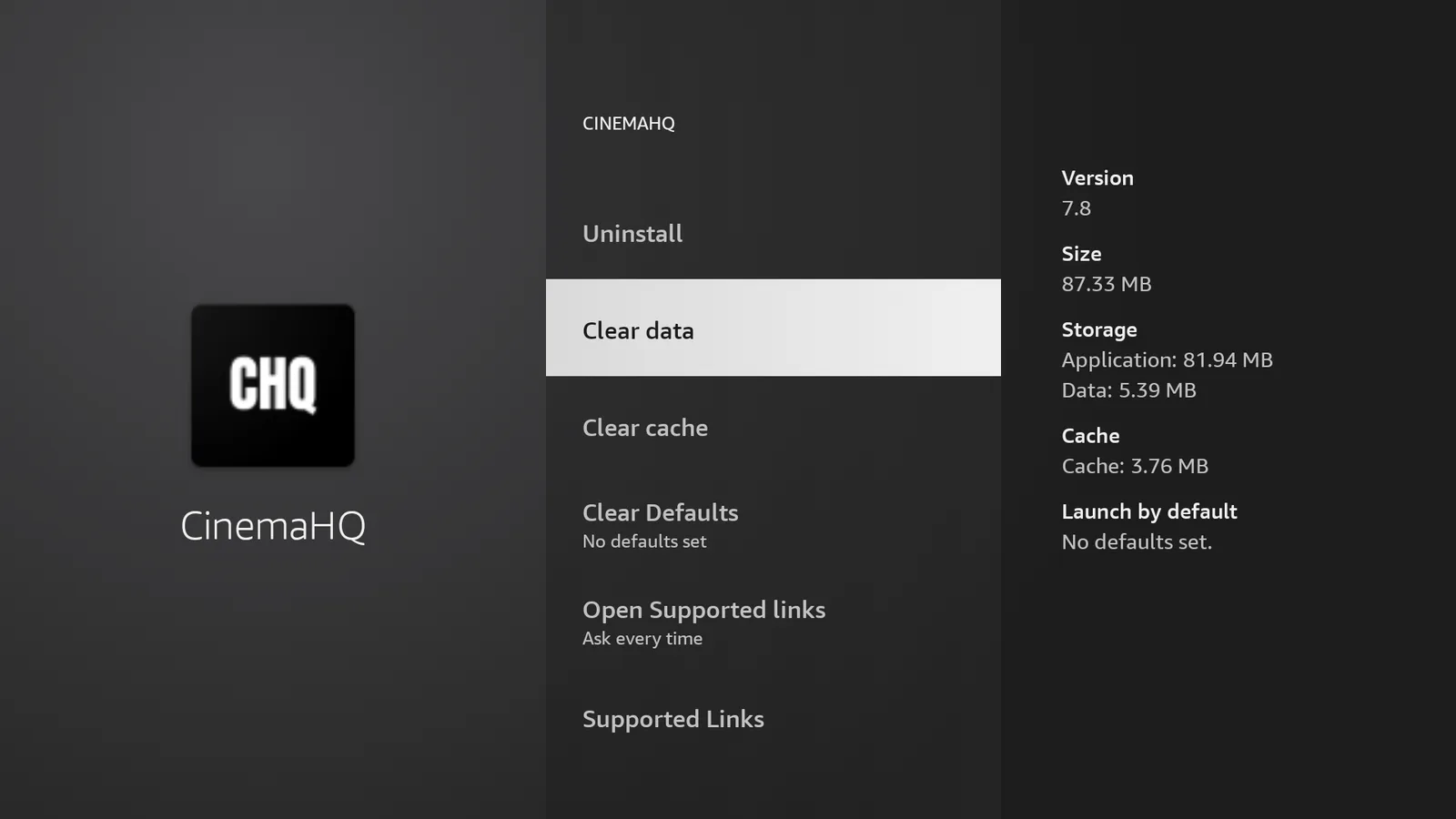
If that does not fix it, clear data.
- Go back to Cinema HQ in Manage Installed Applications.
- Select Clear Data.
- Open Cinema HQ again.
- Set it up again if needed.
Clearing data resets the app, so use cache first.
How to fix buffering in Cinema HQ
Buffering usually comes from one of four things: weak Wi-Fi, a bad link, low Fire Stick resources, or a busy source.
Try this order:
- Test a different movie or episode.
- Choose a different link for the same title.
- Restart Cinema HQ.
- Restart the Fire Stick.
- Clear the Cinema HQ cache.
- Check your internet speed.
- Free up storage by deleting unused apps.
- Connect IPVanish to a United States server with WireGuard and test again.
If only one title buffers, the problem is probably the available links for that title. If every app buffers, the issue is more likely your internet connection or Fire Stick performance.
What to do when content will not load
If Cinema HQ opens but movies or TV shows do not load, the app may be having a bad day. In 2026, broken links and downtime are common enough that you should not spend hours fighting it.
Try these fixes:
- Force close Cinema HQ.
- Clear cache.
- Restart your Fire Stick.
- Test a very popular title.
- Try a different category inside the app.
- Check LinkDrop later for an updated Cinema HQ build.
If Cinema HQ still does not load, install a backup app from LinkDrop.
Good options currently on my store include:
- FilmPlus
- StreamFlix
- FlixVision Ad-Free
- OceanStreamz
- CinePlus
- Clip Box
For a separate movie and TV option, my StreamFlix install guide is a good next stop.
Best alternatives if Cinema HQ is not working
Cinema HQ is worth trying if you like the layout, but it should not be your only app. Keep at least two alternatives installed so you can switch quickly when links fail.
Install alternatives from TV Wizard at newstore.tv or LinkDrop at linkdrop.store.
Recommended backups from my store:
- FilmPlus, strong movie and TV show option.
- StreamFlix, simple streaming app layout.
- FlixVision Ad-Free, good if you want another on-demand choice.
- Clip Box, useful for movies and TV shows.
- CinePlus, another solid replacement-style app.
- OceanStreamz, worth keeping as an extra backup.
If you want a bigger list of current picks, check my best Fire Stick apps list.
Keep Cinema HQ running better over time
Do these every so often:
- Clear Cinema HQ cache.
- Delete apps you no longer use.
- Restart the Fire Stick once in a while.
- Keep a few GB of free storage if possible.
- Use LinkDrop to check for updated app versions.
- Keep backup apps installed.
Older Fire Sticks need this more than newer models. The Fire TV Stick 4K Max and Fire TV Cube usually handle third-party apps better than the Lite models, mainly because they have stronger hardware.
Stay private on your Fire Stick with IPVanish
It's the VPN I run on my own Fire Stick. It hides what you stream and sideload from your internet provider, and unblocks a lot more.
Frequently asked questions
Does Cinema HQ still work on Fire TV Stick in 2026?+
Cinema HQ can still work, but it is inconsistent in 2026. Expect broken links, buffering, and occasional downtime. Keep backup apps like FilmPlus, StreamFlix, Clip Box, or FlixVision Ad-Free installed from LinkDrop.
Is Cinema HQ in the Amazon Appstore?+
No. Cinema HQ is not available in the Amazon Appstore. Install it through TV Wizard at newstore.tv or open linkdrop.store, click Explore the collection, and install it from LinkDrop.
Which Fire Stick models support Cinema HQ?+
Cinema HQ works on Fire TV Stick Lite, Fire TV Stick, Fire TV Stick 4K, Fire TV Stick 4K Max, and Fire TV Cube.
Why does Cinema HQ keep crashing?+
The most common fixes are clearing cache, clearing data, restarting the Fire Stick, and making sure you have enough free storage. Open Settings > Applications > Manage Installed Applications > Cinema HQ to clear cache or data.
Why are Cinema HQ links not loading?+
Some sources go offline or stop working. Try a different title, choose another link, clear cache, restart the app, or check LinkDrop later for an updated version.
Does Cinema HQ cost money?+
Cinema HQ itself does not require a subscription to install. Your normal internet service still applies, and optional services like IPVanish are separate.
What is the best Cinema HQ alternative on Fire Stick?+
FilmPlus, StreamFlix, FlixVision Ad-Free, Clip Box, CinePlus, and OceanStreamz are good backup options. Get them through TV Wizard at newstore.tv or LinkDrop at linkdrop.store.
Comments0
Join the conversation. Be kind, and no piracy talk.