
How to Install the Aniken App for All Your Anime Needs
AnikenTV, the app formerly called Anilili, is one of the best anime apps for a TV. Here is how to install it on a Fire Stick, ONN 4K or Android TV through LinkDrop.
If anime is your thing, AnikenTV is the one to look at right now. It is one of the better-looking anime apps I have come across, it is built for a TV remote rather than a phone screen, and it is in the LinkDrop store. Here is how to get it running on a Fire Stick, ONN box or Android TV, and how to set it up properly the first time.
What AnikenTV is
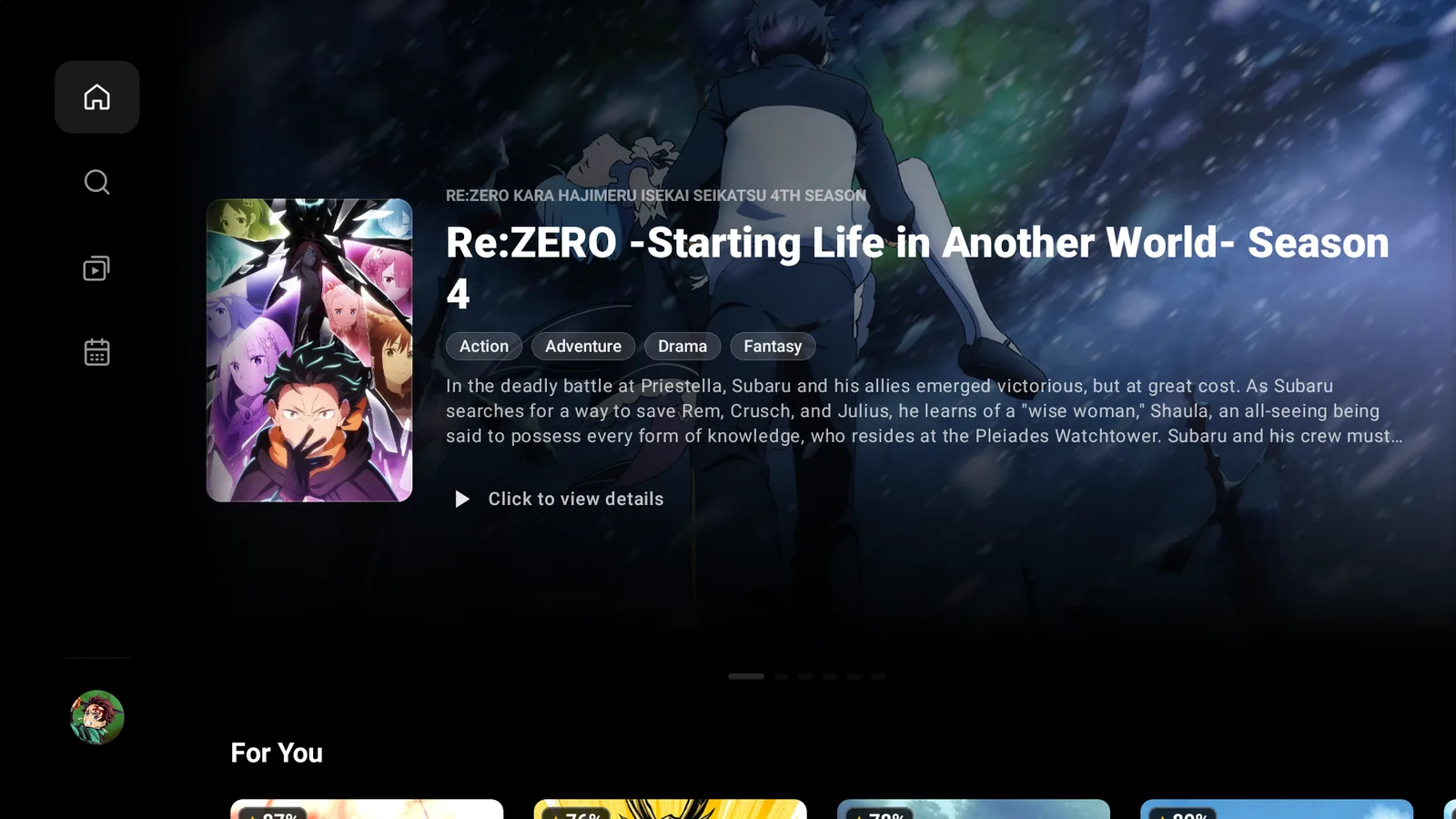
AnikenTV, or just Aniken, is an anime streaming app made for Android TV, Google TV and Fire TV. If the name is new but the app looks familiar, that is because it started life as Anilili. It was rebuilt and renamed AnikenTV, with a fresh look and better handling on a TV.
- Built for the remote. Proper D-pad navigation, so you are not fighting a layout made for a touchscreen.
- English dub or subtitles. One switch decides which you get by default.
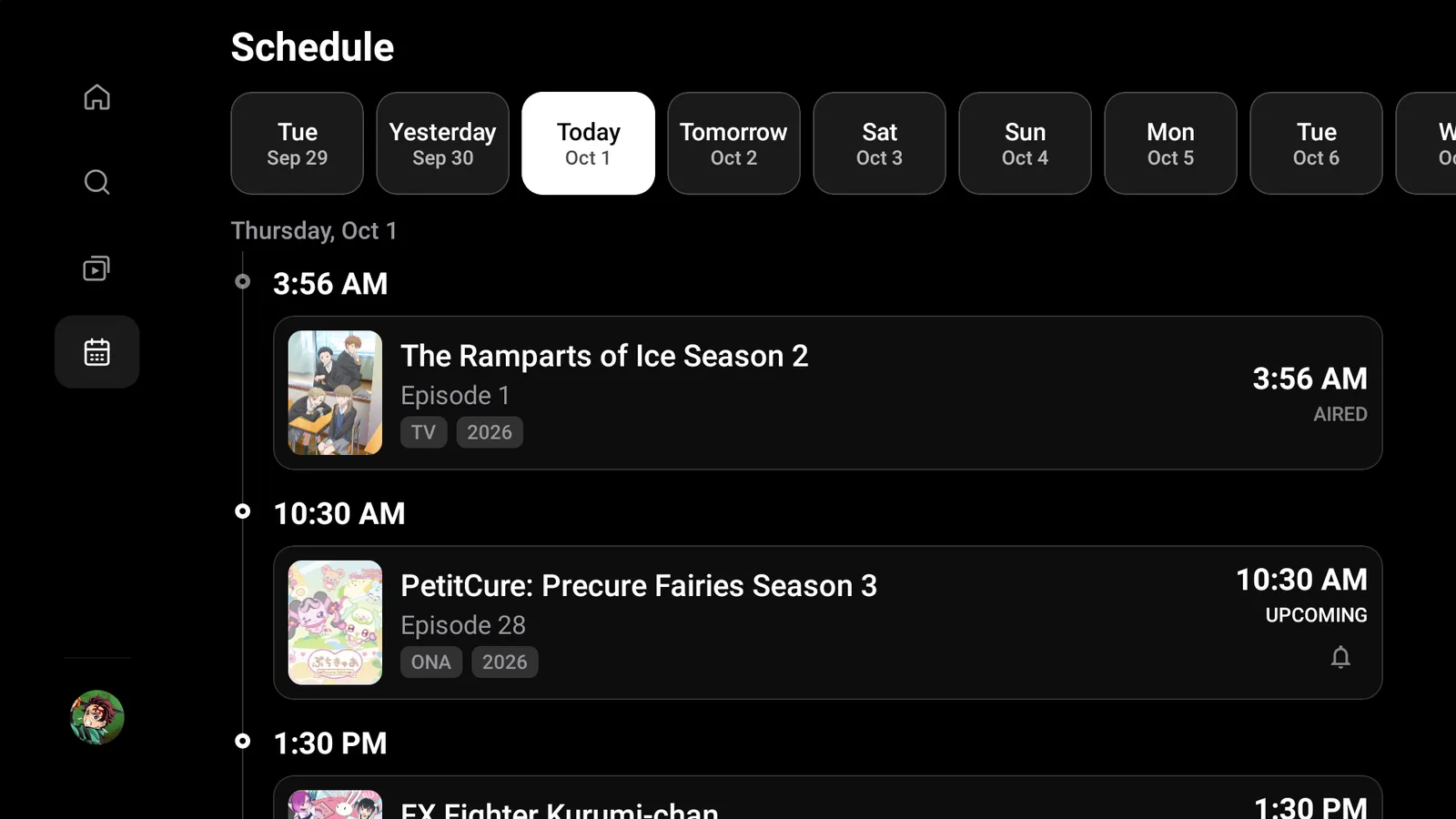
- An airing schedule. See which episodes drop each day, and set a reminder for the ones you follow.
- Tracks your progress. Connect AniList or MyAnimeList to keep your progress and ratings in sync. It is optional.
If you installed Anilili from last month's list, Aniken is the version to move to.
Install AnikenTV on a Fire Stick
Aniken is not in the Amazon store, so you install it through our free tools. Easiest first:
- Open Downloader and type newstore.tv to install TV Wizard, our setup app that puts the app stores in for you.
- Or open LinkDrop at linkdrop.store, click Explore the collection, and find Aniken.
- Select Install, let it finish, and open it.
First time sideloading? The sideloading guide covers every tap, and if Downloader is blocked, turn on Install Unknown Apps first.
One thing to know before you buy a new stick: the newest Fire TV models that run Amazon's Vega OS cannot install Android apps at all, so Aniken, and every other app on this site, will not go on them. Fire TV Sticks and Cubes on Fire OS are fine.
Install AnikenTV on an ONN 4K or Android TV box
ONN and Google TV boxes make it quicker. Open LinkDrop on the box, find Aniken in the collection, and install it. Prefer Browsy? The Browsy code list covers the apps in the store.
First setup inside AnikenTV
The first time you open it, Aniken walks you through a short setup. Press Setup to start.
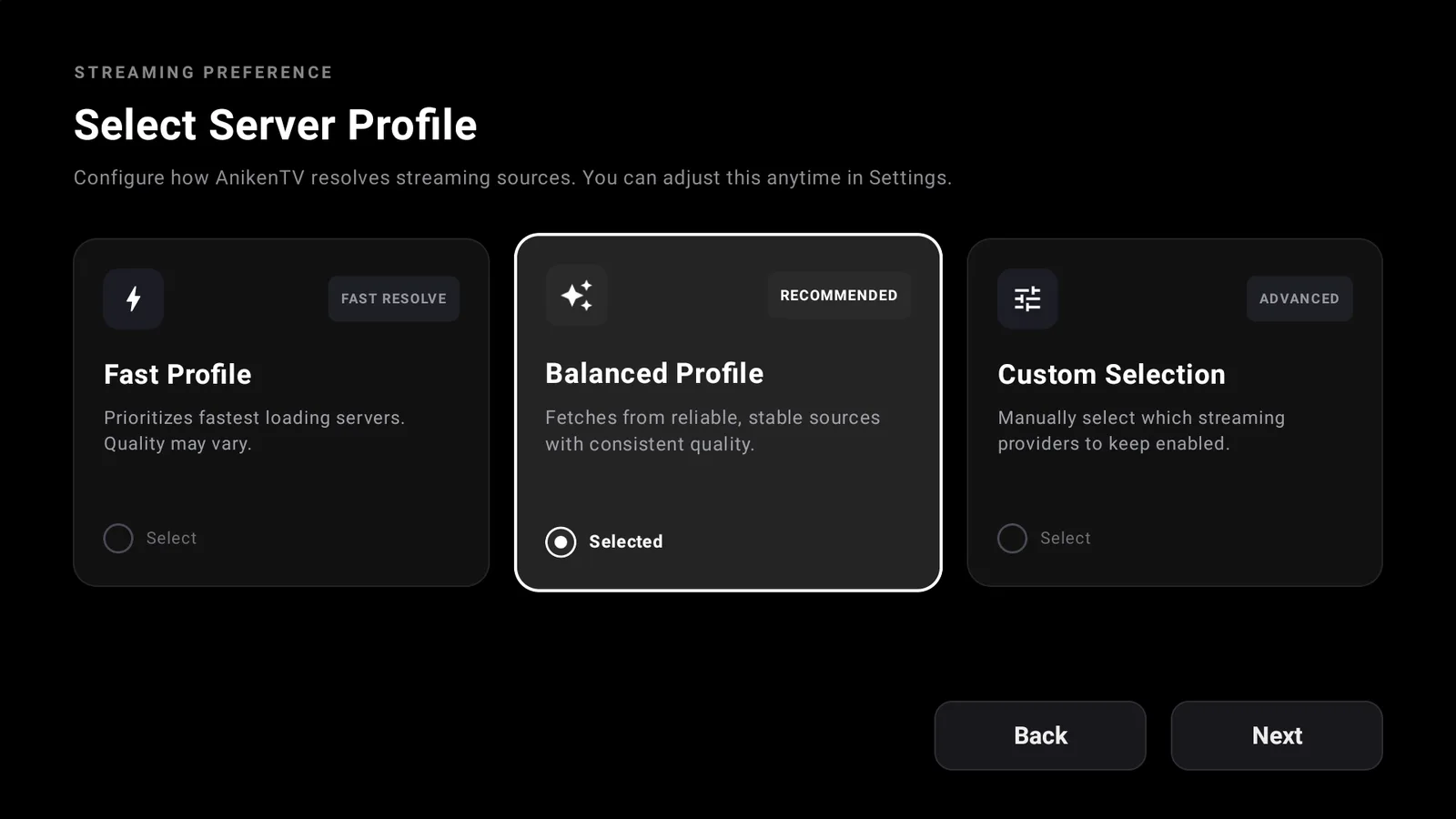
- Pick a server profile. Choose Balanced Profile. It is the recommended one and pulls from reliable sources with consistent quality. Fast Profile loads quicker but the quality can vary, and Custom Selection lets you pick the providers yourself. You can change it any time in Settings.
- Sync your anime list. Connect AniList or MyAnimeList if you already use one, or press Skip.
- Create your profile. Type a display name and pick an avatar. This stays on your device, it is not an account.
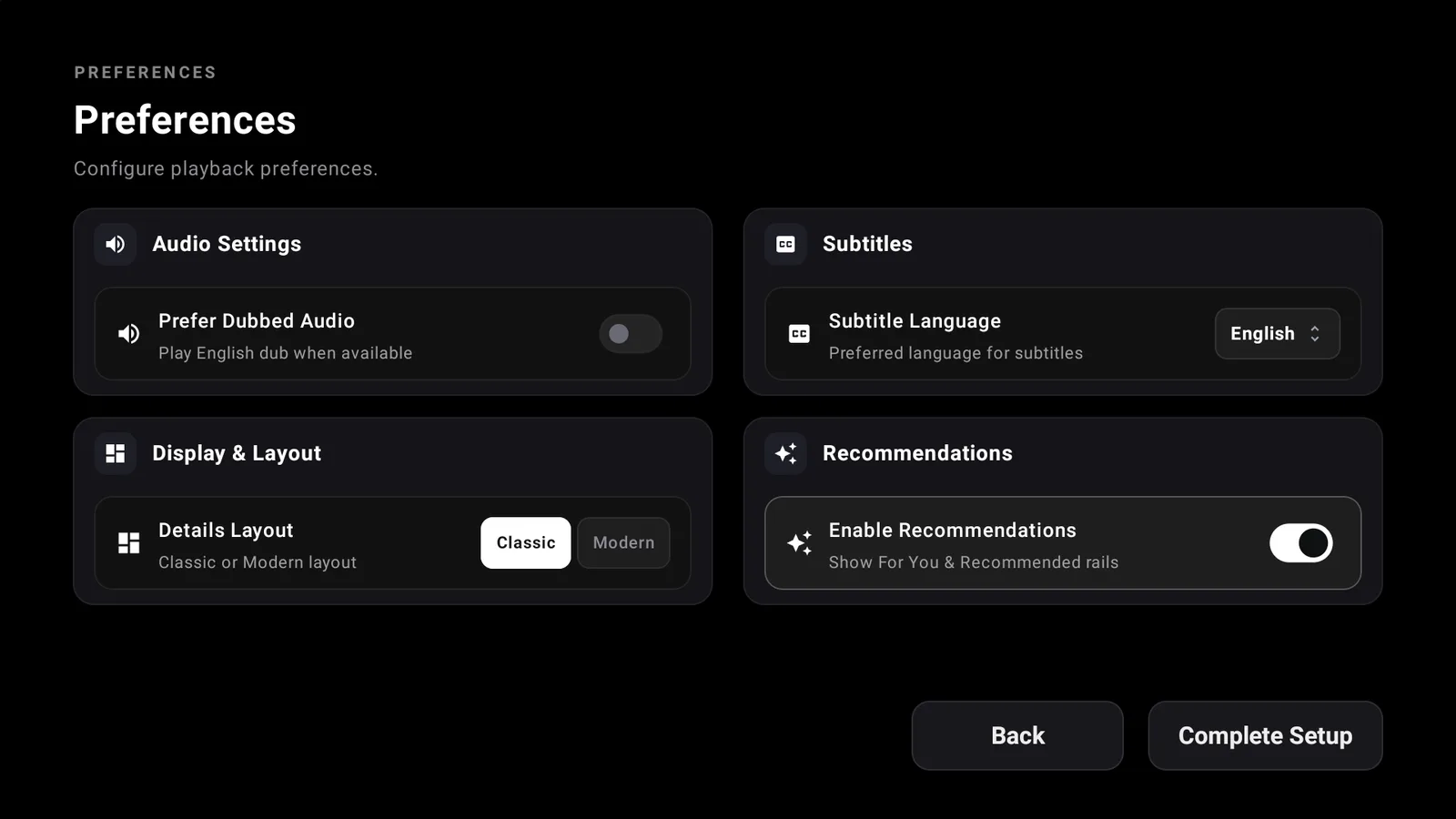
- Set your preferences. Turn on Prefer Dubbed Audio if you would rather hear the English dub than read subtitles. It plays the dub whenever one is available. Set your subtitle language, then press Complete Setup.
Give it a few seconds on the Setting Up screen and you land on the home page.
Finding your way around
The menu down the left side has four stops:
- Home: a featured series up top and a For You row underneath.
- Search: quicker than scrolling when you know what you want.
- Library: your watch History and My List.
- Schedule: what airs each day, with each episode marked Aired or Upcoming. Tap the bell on an upcoming one to get a reminder.
Turn on your VPN first
On any app like this, connect a VPN before you stream. Without one your provider can see what you watch and quietly throttle it, which is what most buffering actually is. We use IPVanish on a United States server. Here is why a VPN matters.
A VPN is for privacy. It does not make content you are not authorized to watch okay to watch, so stick to what is allowed where you live.
If AnikenTV will not play
- Change your server profile in Settings: Fast if things are slow to start, Balanced if the picture quality is the problem.
- Reconnect your VPN and try again.
- Restart the Fire Stick or ONN box.
- Reinstall the latest Aniken from LinkDrop.
If AnikenTV installs but will not open at all, that is a separate Fire TV block with its own fix: when an app won't open.
Stay private on your Fire Stick with IPVanish
It's the VPN I run on my own Fire Stick. It hides what you stream and sideload from your internet provider, and unblocks a lot more.
Frequently asked questions
Is AnikenTV the same as Anilili?+
It started as Anilili and was rebuilt and renamed. If you have Anilili from last month, Aniken is the one to use now.
Can I watch anime dubbed in English?+
Yes. Turn on Prefer Dubbed Audio in Preferences and it plays the English dub whenever one is available.
Which server profile should I pick?+
Balanced Profile, the recommended one. Switch to Fast only if things are slow to load.
Do I need an account?+
No. AniList and MyAnimeList are optional, and the profile is just a display name and avatar on your device.
Does Aniken work on ONN and Android TV?+
Yes. It is built for Android TV and Google TV. Open LinkDrop on the box and install it from the collection.
Why won't it install on my new Fire Stick?+
If it is one of the newest Vega OS Fire TV models, it cannot install Android apps. Fire TV Sticks and Cubes on Fire OS are fine.
Aniken is on this month's list for the anime fans.
Comments0
Join the conversation. Be kind, and no piracy talk.