
How to Install FlixVision for Live TV and Tons of Movies and Shows
Install FlixVision on Firestick or Android TV with TV Wizard or LinkDrop, then fix common playback, update, and launch problems.
FlixVision can still work on Firestick, Android TV, and ONN in 2026, but Fire TV devices are getting stricter with sideloaded apps. The easiest route is to use TV Wizard first, then use LinkDrop to find FlixVision Ad-Free and install it cleanly.
What FlixVision gives you
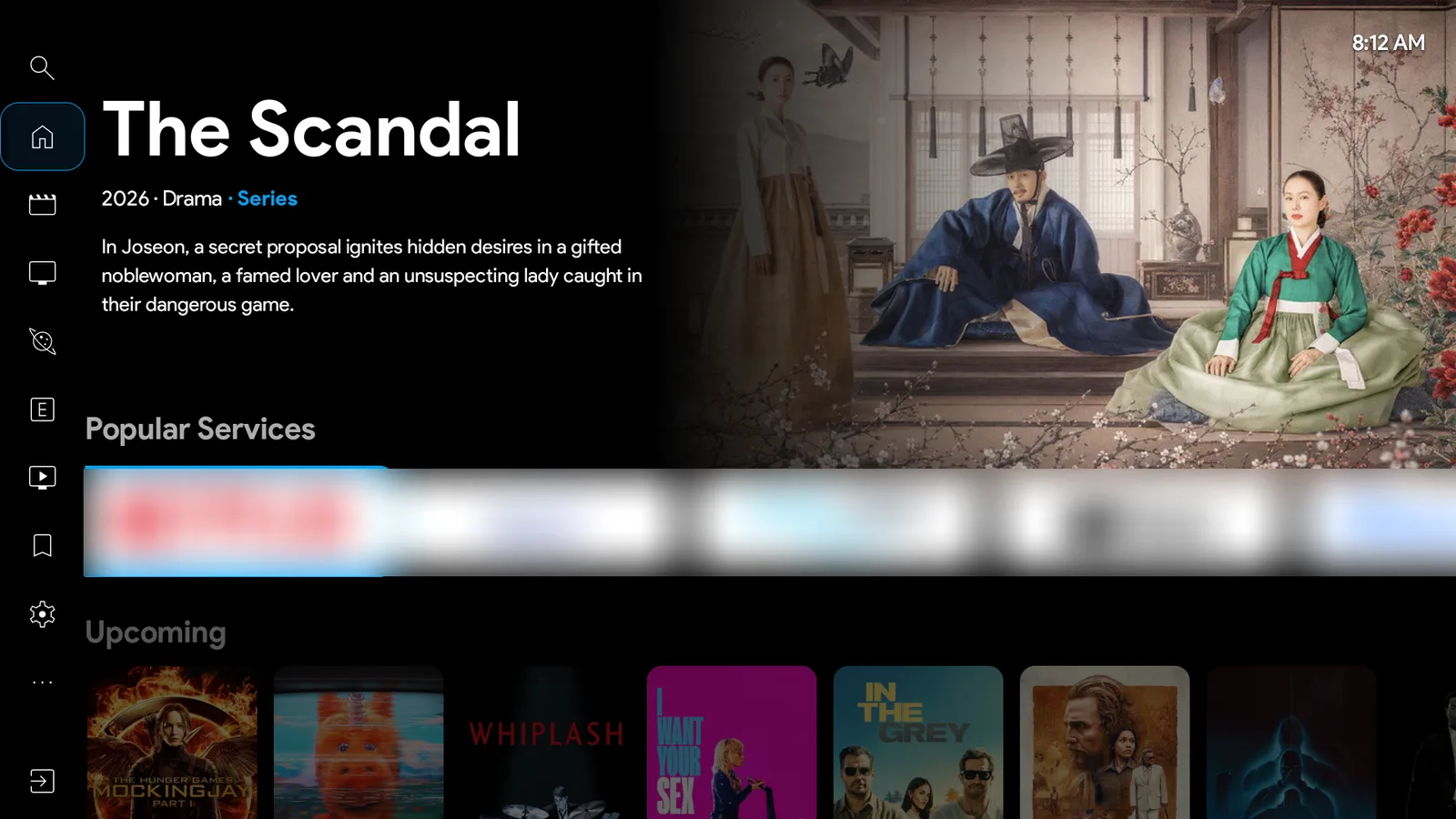
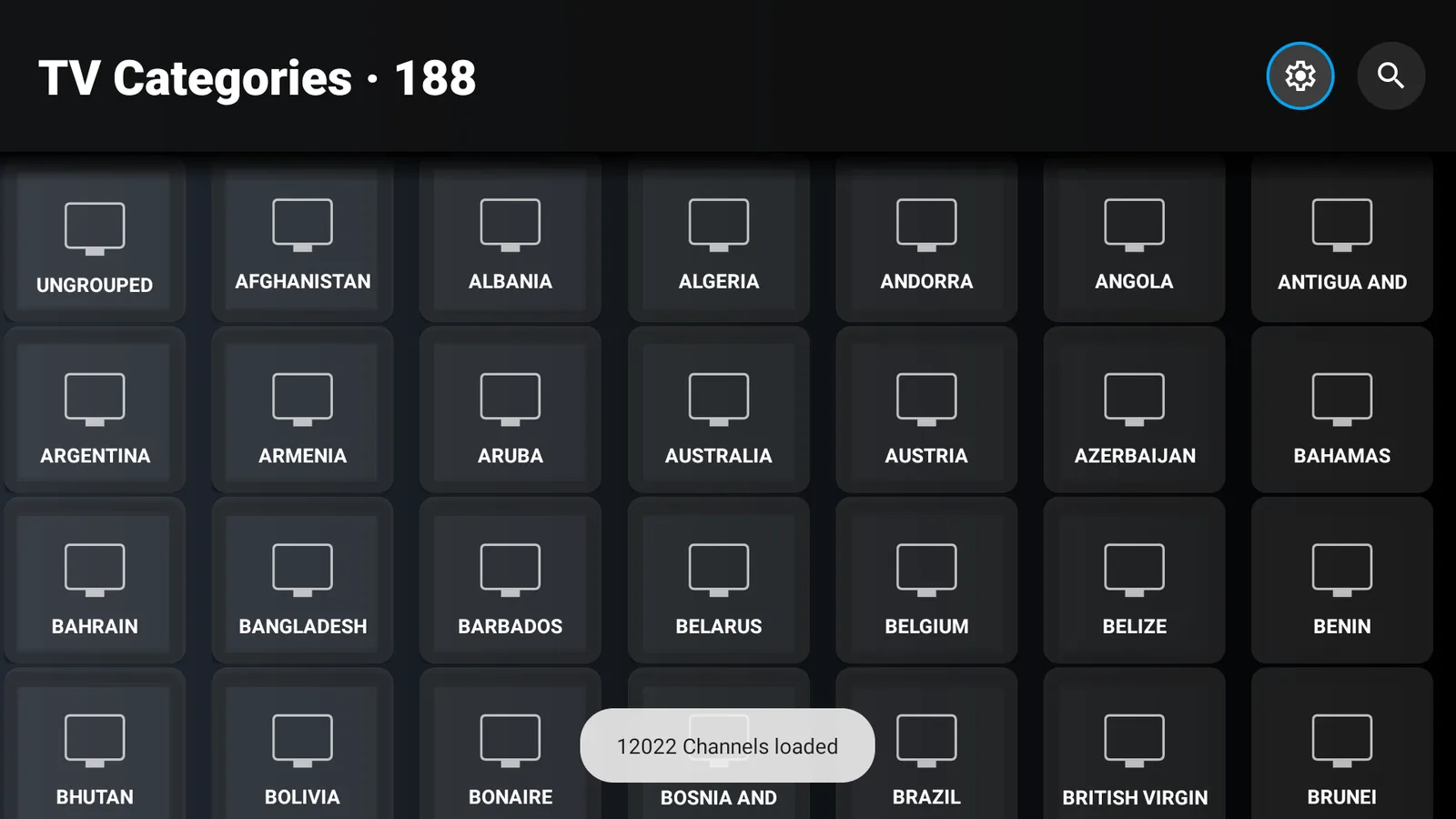
FlixVision is an all in one app for Android based TV devices. The menu runs Search, Home, Movies, TV Shows, Discover, Live TV, Favorites and Settings, and the home screen opens on a featured title with an Upcoming row underneath. Live TV is the big draw: in my test it loaded 188 categories by country and just over 12,000 channels.
The full streaming version is not in the Amazon Appstore. There is a Flix Vision listing on Google Play, but that version is for discovery only, things like trailers and summaries. It is not the same as the full APK people install for live TV and streaming.
On Firestick, expect mixed results. Live TV is usually the part people have the most luck with. Movies and shows can be more hit or miss because links change, regions get blocked, and Fire OS can sometimes flag or disable apps after installation.
Before you install it
Check these first:
- Make sure your Firestick, Android TV, or ONN box has a stable internet connection.
- Keep some free storage available. A few GB free is better than installing apps on a nearly full device.
- Install Downloader if you do not already have it.
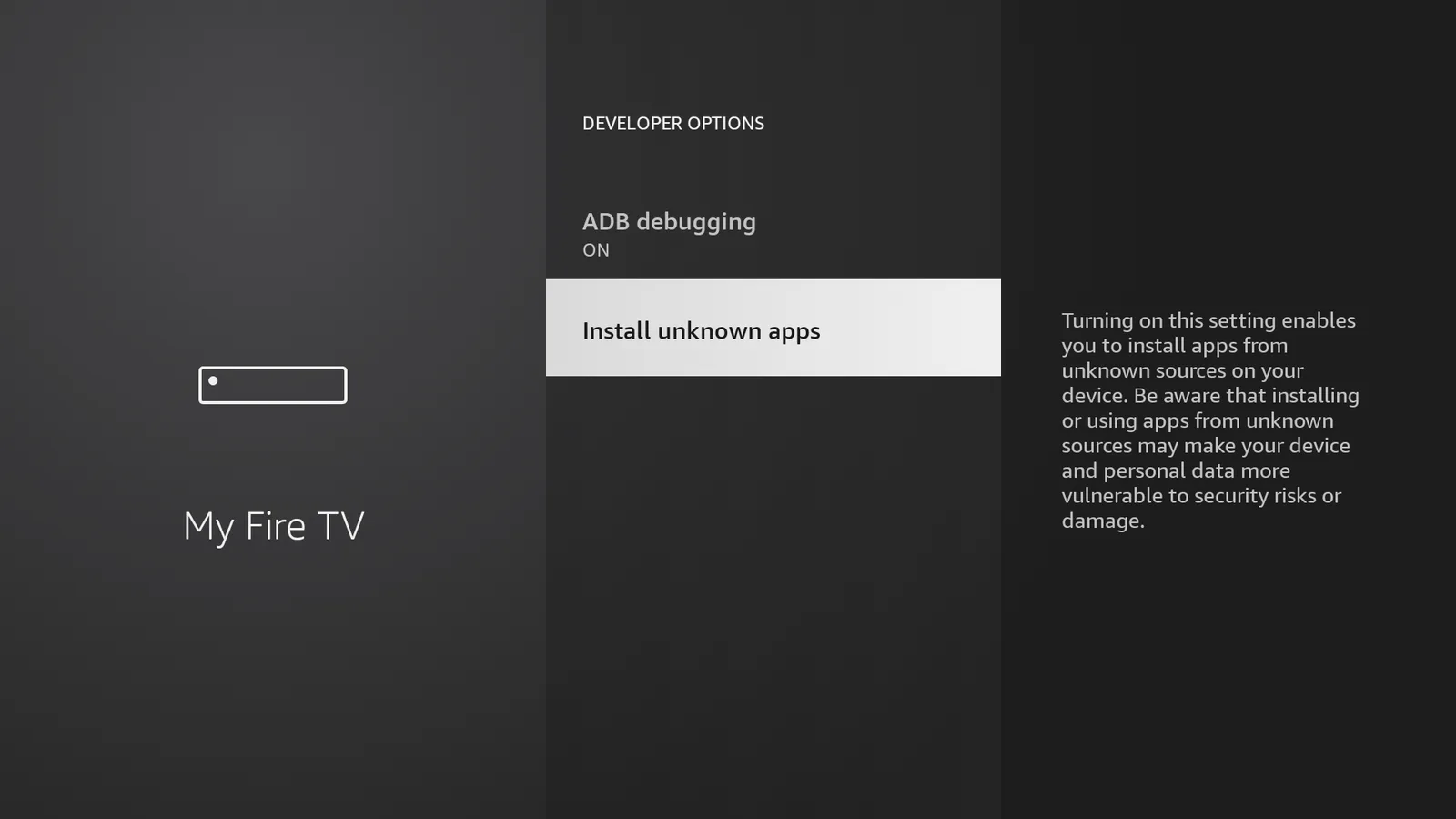
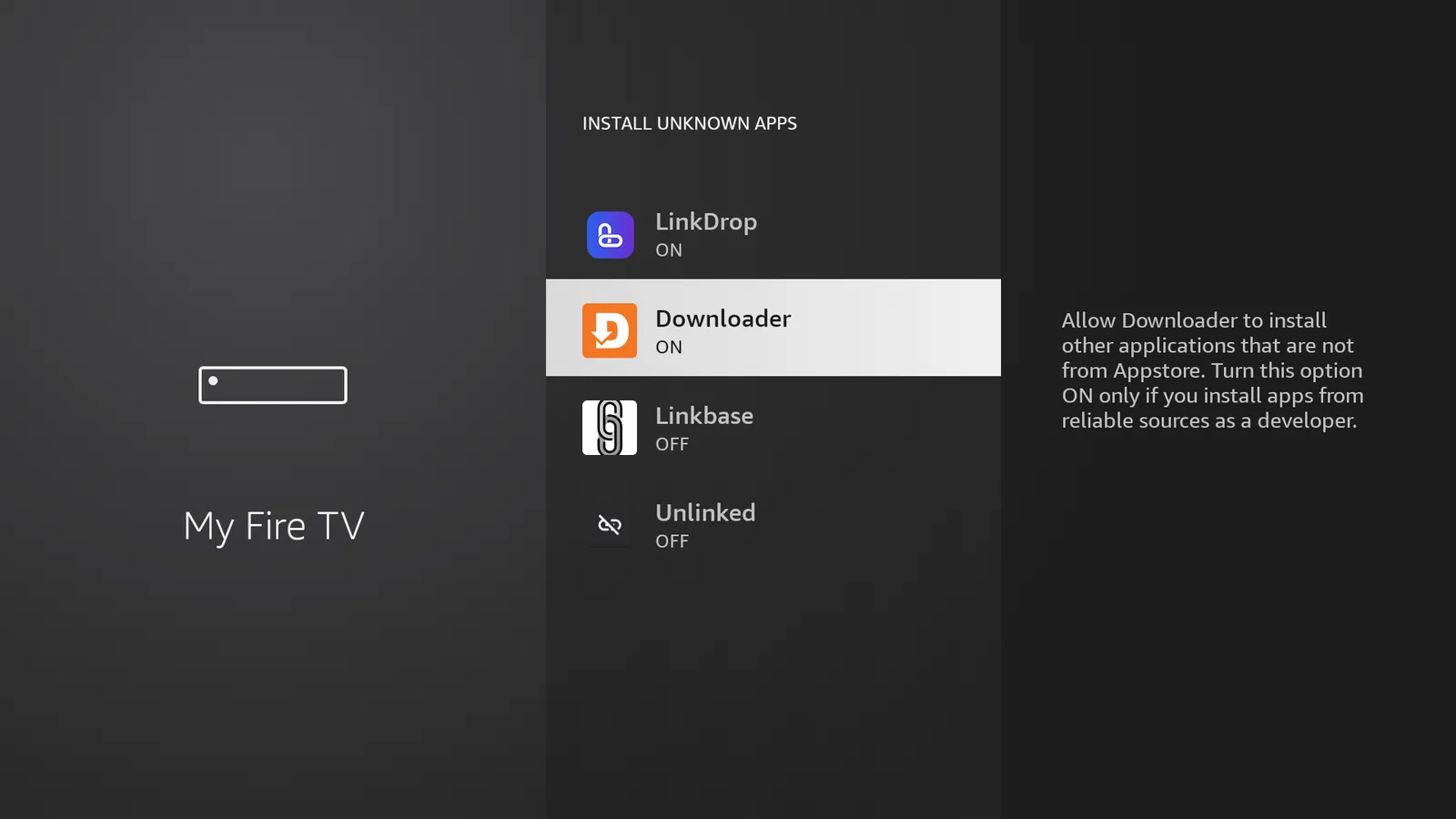
- Enable Install Unknown Apps for Downloader.
- Connect your VPN before opening streaming apps.
For the VPN, I recommend IPVanish. Get IPVanish, open the app and sign in, then connect to a United States server with WireGuard.
If your Firestick does not show Developer Options, use my full walkthrough for Firestick Developer Options. If you want the full sideloading process from scratch, use my Downloader sideloading guide.
Easiest method, install TV Wizard first
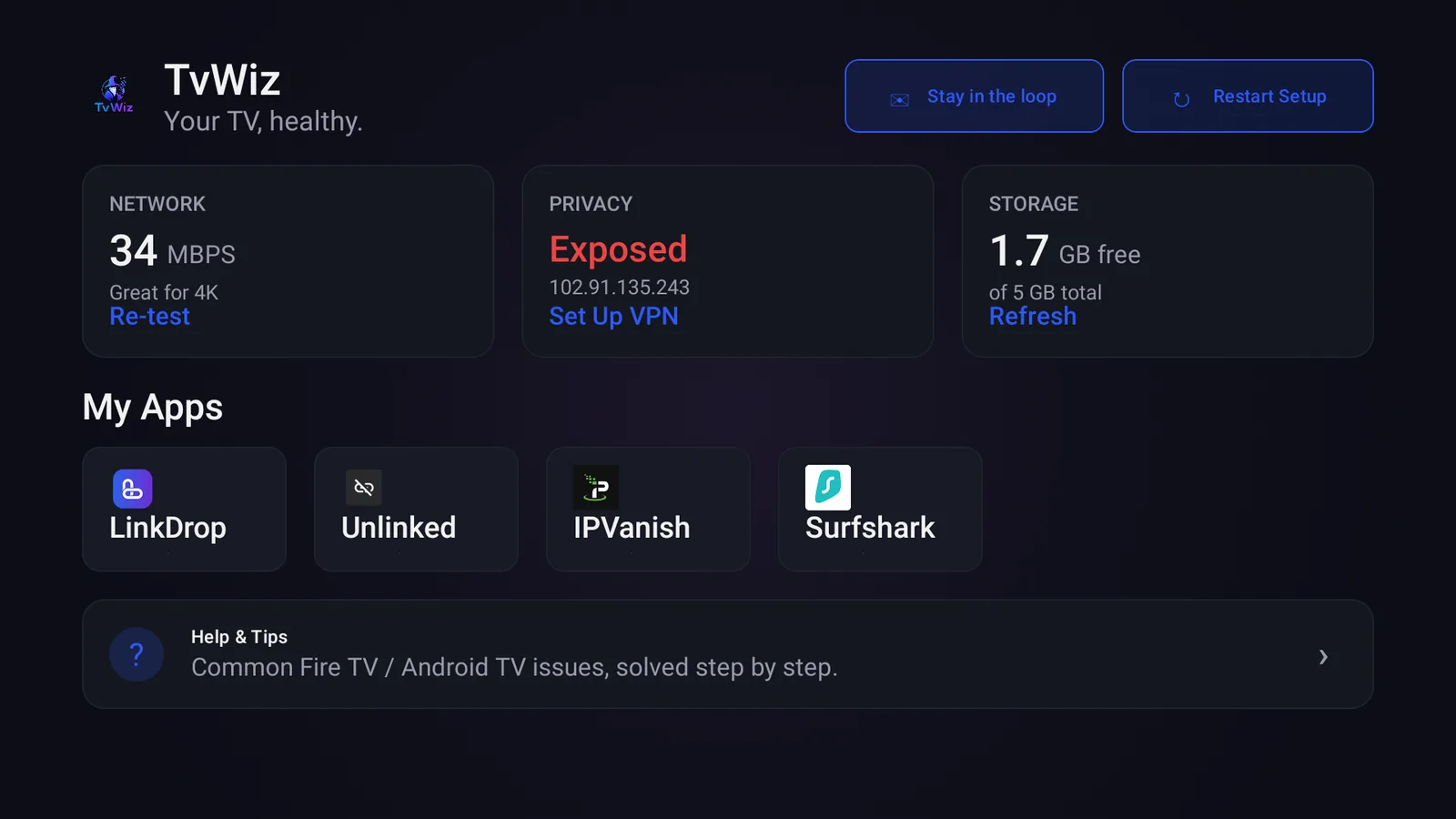
TV Wizard is my setup app, and it is the easiest way to get your app stores ready without adding everything one by one.
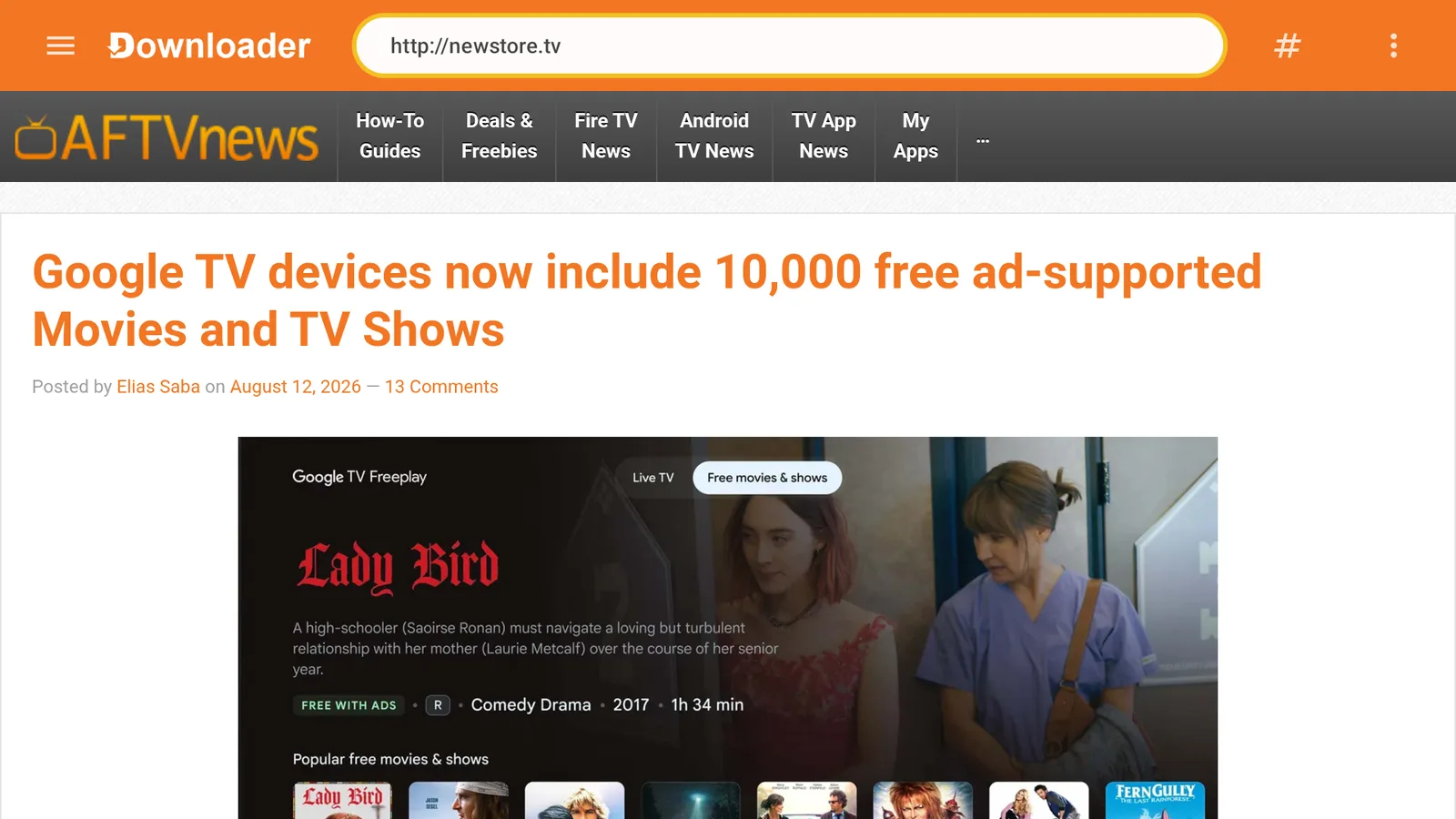
- Open Downloader.
- Select the URL box.
- Type newstore.tv.
- Press Go.
- Install TV Wizard when the download finishes.
- Open TV Wizard and use it to install the app stores.
After TV Wizard finishes, use LinkDrop for finding and installing FlixVision Ad-Free.
Install FlixVision Ad-Free from LinkDrop
LinkDrop is my own store and the one to use when you want to find apps quickly.
- Open Downloader.
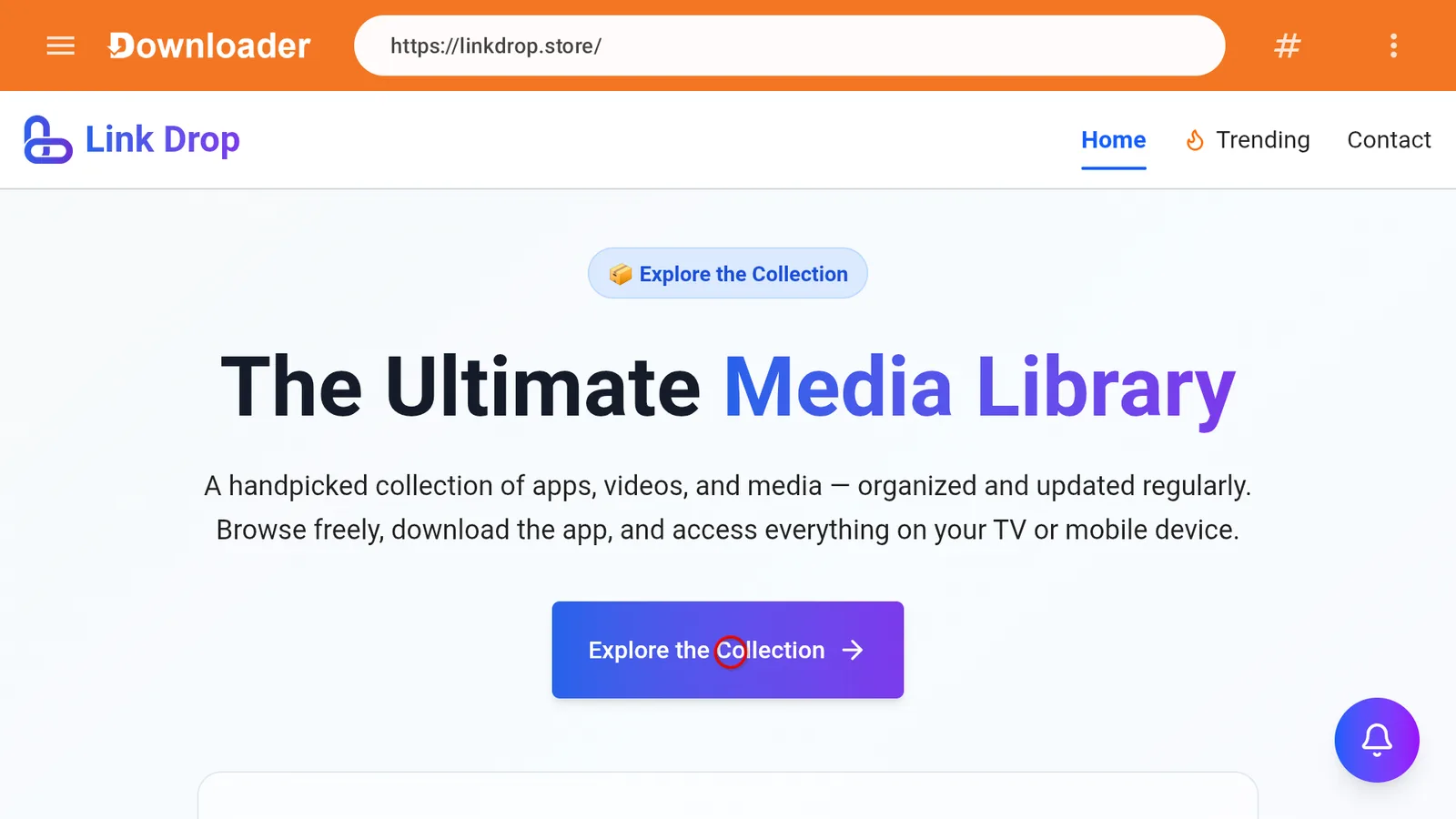
- Type linkdrop.store.
- Click Explore the collection.
- Search or scroll for FlixVision Ad-Free.
- Select it and start the download.
- Choose Install when the Android installer opens.
- After installation, choose Done.
- Delete the APK file if Downloader asks, this frees up storage.
- Open FlixVision Ad-Free from Your Apps.
If you already installed TV Wizard, you can open LinkDrop from there instead of typing the address again.
One extra step for FlixVision. The LinkDrop listing notes that FlixVision launches through the Virtualizer. If you do not have it yet, install Virtualizer from LinkDrop under Tools and Utilities, open it, and launch FlixVision from inside the Virtualizer rather than from its own app icon. The Virtualizer guide walks through it.
First launch settings
The first time FlixVision opens, a few screens pop up. Here is what each one is and what to do with it.
- Release notes. Version 3.8.0 lists its changes: better TorBox and Real-Debrid support, an upgraded built-in player with HDR 4K support, and fixed direct links. Press Got it.
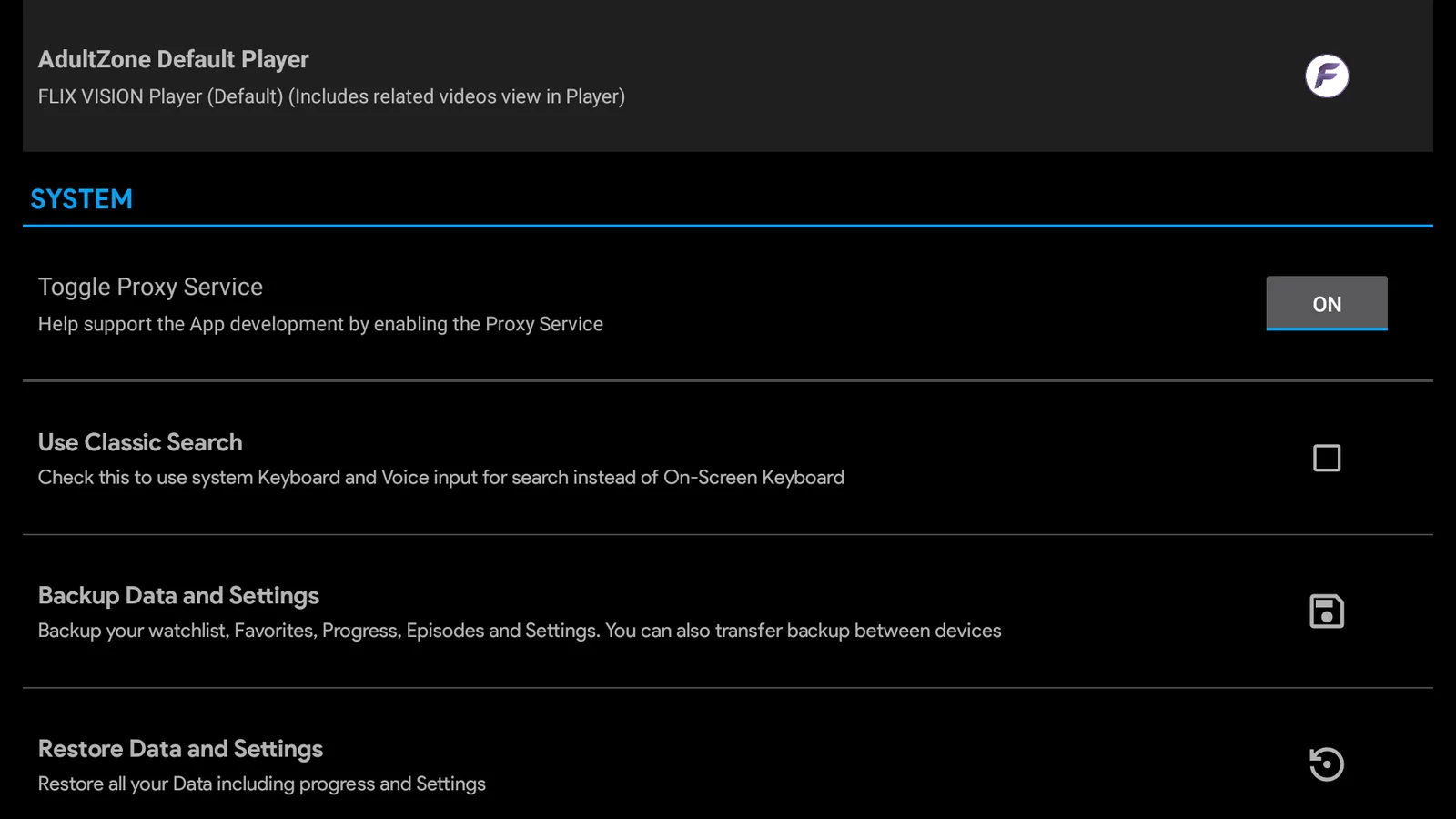
- "Help Keep FLIX VISION Free." This explains that the app uses some of your spare network bandwidth to fund itself. In plain terms, it routes other people's traffic through your internet connection in the background. You can switch it off at any time, and I would: open Settings, scroll to System, and set Toggle Proxy Service to OFF.
- Access to photos and media. FlixVision does not need this to browse or stream. Choose Don't allow. You can change it later in your TV's app settings.
Hide or lock AdultZone
FlixVision has an AdultZone section in the main menu by default. If the TV is used by the whole family, go to Settings, find Adult Zone, and either untick Show AdultZone in Menu to hide it, or choose Create AdultZone PIN to put a 4 digit code on it.
Getting started
- Open Live TV for channels. They are grouped by country, so pick one and browse from there.
- Open Movies or TV Shows for on-demand content.
- Try a different source if a link spins or fails.
- Use the built-in FLIX VISION player first.
- If playback is choppy, try another player. FluidPlayer is available through LinkDrop.
Do not judge the app from one broken link. These apps pull from changing sources, so one movie or channel may fail while another works fine. If you use Real-Debrid, Premiumize, AllDebrid or TorBox, link it under Settings, Integration for more reliable links.
Does FlixVision still work in 2026?
Partially, yes.
The honest answer is that FlixVision is not equally reliable on every device. Live TV still works for many users, especially when the app opens normally and the connection is solid. Movies and shows can be less consistent because individual sources break or get blocked.
Firestick devices are also more aggressive than they used to be. Some Fire TV models may show a warning, disable the app, or refuse to launch it later. Android TV and ONN devices are often less frustrating for sideloaded streaming apps once the APK is installed.
If your Firestick keeps blocking third-party apps, this guide on Firestick app launch blocks is worth reading.
Fix FlixVision not opening
Start with the Virtualizer: open it and launch FlixVision from inside it rather than from the app icon. That alone fixes most launch problems. If it still will not open:
Try these in order:
- Restart your Firestick or Android TV.
- Go to Settings, Applications, Manage Installed Applications.
- Select FlixVision Ad-Free.
- Choose Force Stop.
- Choose Clear Cache.
- Open the app again.
If it still will not open, uninstall it and reinstall the current copy from LinkDrop. If you had an older modded version installed before, remove that first so the new install does not conflict with old data.
On Firestick, an app can install fine and still fail later if Fire OS blocks the launch. That is more common on newer locked-down Fire TV models.
Fix videos not loading or unsupported format errors
If the app opens but videos do not play, use this checklist:
- Try another link for the same movie, show, or channel.
- Disconnect and reconnect IPVanish to a United States server using WireGuard.
- Clear the FlixVision cache.
- Restart the device.
- Try a different category, such as Live TV instead of Movies.
- If FlixVision gives you an external player setting, test another player.
Unsupported format errors usually mean the selected stream does not play well with the current player. A different source or player usually fixes it faster than reinstalling the whole app.
Fix update prompts and failed updates
FlixVision may ask for an update, then fail when you try to update inside the app. When that happens, install it manually again from LinkDrop.
- Open Settings.
- Go to Applications.
- Select FlixVision Ad-Free.
- Uninstall it if the update is stuck.
- Open Downloader.
- Go to linkdrop.store.
- Click Explore the collection.
- Install FlixVision Ad-Free again.
This is cleaner than fighting a broken in-app updater.
If FlixVision is too unstable
Keep a couple of backup apps installed so one broken app does not stop your setup. From LinkDrop or TV Wizard, good options to try include Reezn, Cinema HQ, Clip Box, StreamFlix and Voltra TV, all on this month's list.
For movies and shows, Clip Box is a strong backup. Use my Clip Box install guide if you want the full setup. For a mix of live TV, movies, and sports, Reezn TV is another good one to keep installed.
Firestick vs Android TV vs ONN
Firestick works, but it can be the pickiest device for apps like this in 2026. Older Fire TV devices tend to be more forgiving than newer locked-down models.
Android TV and ONN boxes are usually easier for sideloaded apps because they are less likely to disable the app after installation. You still need to allow unknown app installs, but once the app is installed, launch problems are usually less common.
If your main goal is running third-party streaming apps with fewer headaches, an ONN Android TV box is often easier to live with than a newer budget Firestick.
Stay private on your Fire Stick with IPVanish
It's the VPN I run on my own Fire Stick. It hides what you stream and sideload from your internet provider, and unblocks a lot more.
Frequently asked questions
Is FlixVision on the Amazon Appstore?+
No. The streaming APK version is not in the Amazon Appstore. Install FlixVision Ad-Free through LinkDrop by opening linkdrop.store and clicking Explore the collection.
Is FlixVision on Google Play?+
There is a Flix Vision listing on Google Play, but that version is for content discovery, not the full streaming app with live TV and movies. Use LinkDrop for the FlixVision Ad-Free APK.
Does FlixVision still work in 2026?+
Yes, but not perfectly on every device. Live TV is usually the most reliable section. Movies and TV shows can have broken links, failed sources, or region-related playback problems.
Why does my Firestick say FlixVision is disabled?+
Some Fire TV models block or disable certain sideloaded apps. Clear cache and reinstall from LinkDrop first. If the same warning keeps coming back, the device firmware may be blocking that app package.
Why do FlixVision movies keep buffering?+
Switch sources, clear the app cache, restart the device, and connect IPVanish to a United States server with WireGuard. Also make sure your Firestick has enough free storage.
Can I install FlixVision on ONN or Android TV?+
Yes. Install Downloader, allow unknown app installs for Downloader, open linkdrop.store, click Explore the collection, and install FlixVision Ad-Free.
Does FlixVision cost money?+
The FlixVision Ad-Free APK in LinkDrop does not require a store purchase. You still need your own internet connection, device, and VPN setup.
What should I install if FlixVision stops working?+
Use LinkDrop or TV Wizard and try backups like Reezn, Cinema HQ, Clip Box, StreamFlix or Voltra TV.
Comments0
Join the conversation. Be kind, and no piracy talk.