
How to Install FlixQuest on Android TV and Firestick for Live TV, Movies and Shows
FlixQuest packs 800+ live TV channels plus movies and TV shows. Here is how to install it on a Fire Stick, ONN 4K or Android TV through LinkDrop.
FlixQuest is one of the newest apps I have been testing, and there is a lot packed into it: movies, series, live TV and a watchlist, all laid out for the big screen. You do not need an account to use it either. Here is how to get it on a Fire Stick, ONN box or Android TV, and how to find your way around once it is in.
What FlixQuest gives you
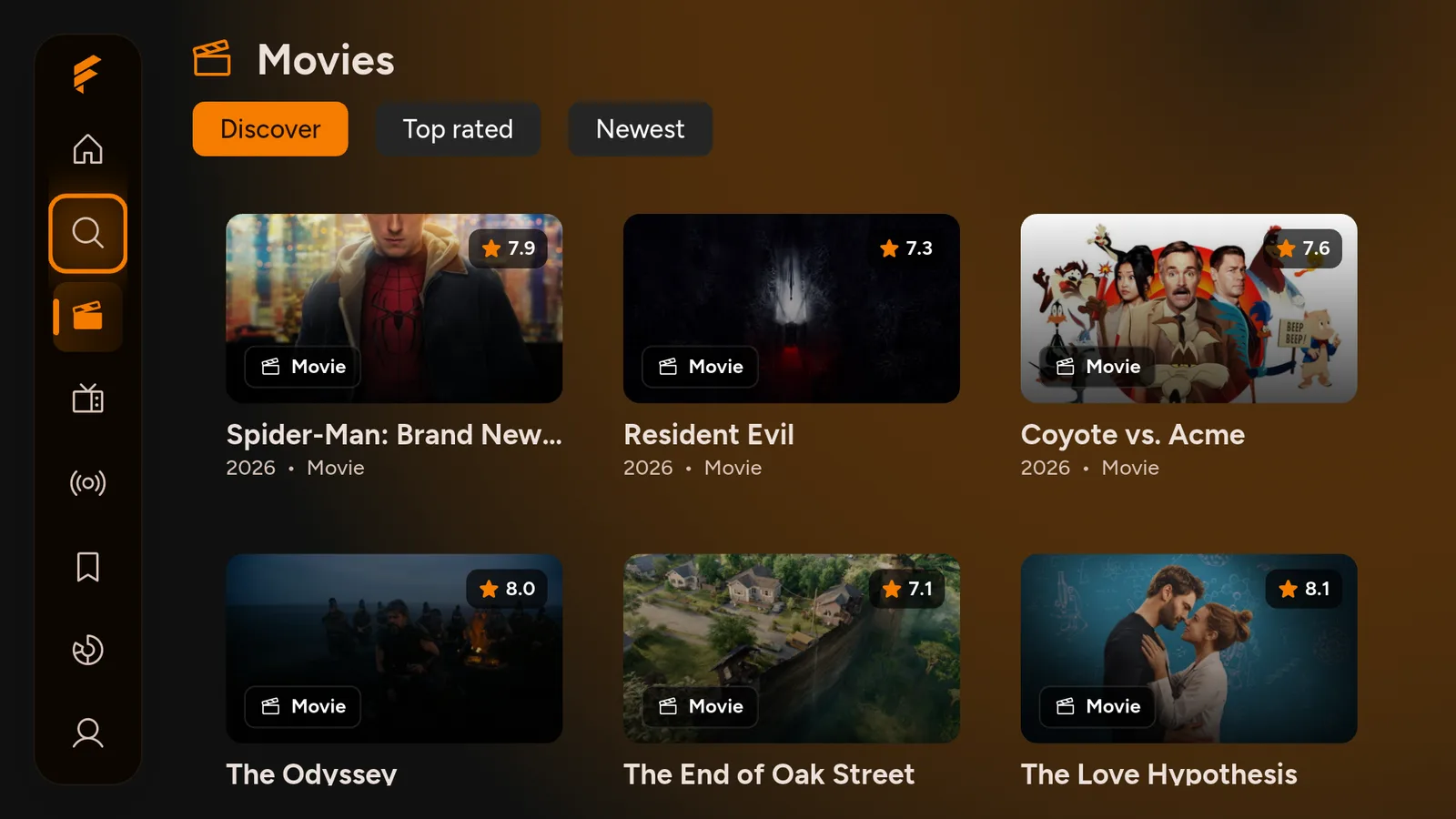
- Movies, with Discover, Top rated and Newest tabs so you are not scrolling blind.
- Series, in their own section.
- Live TV, with more than 800 channels.
- My List, to save anything you want to come back to.
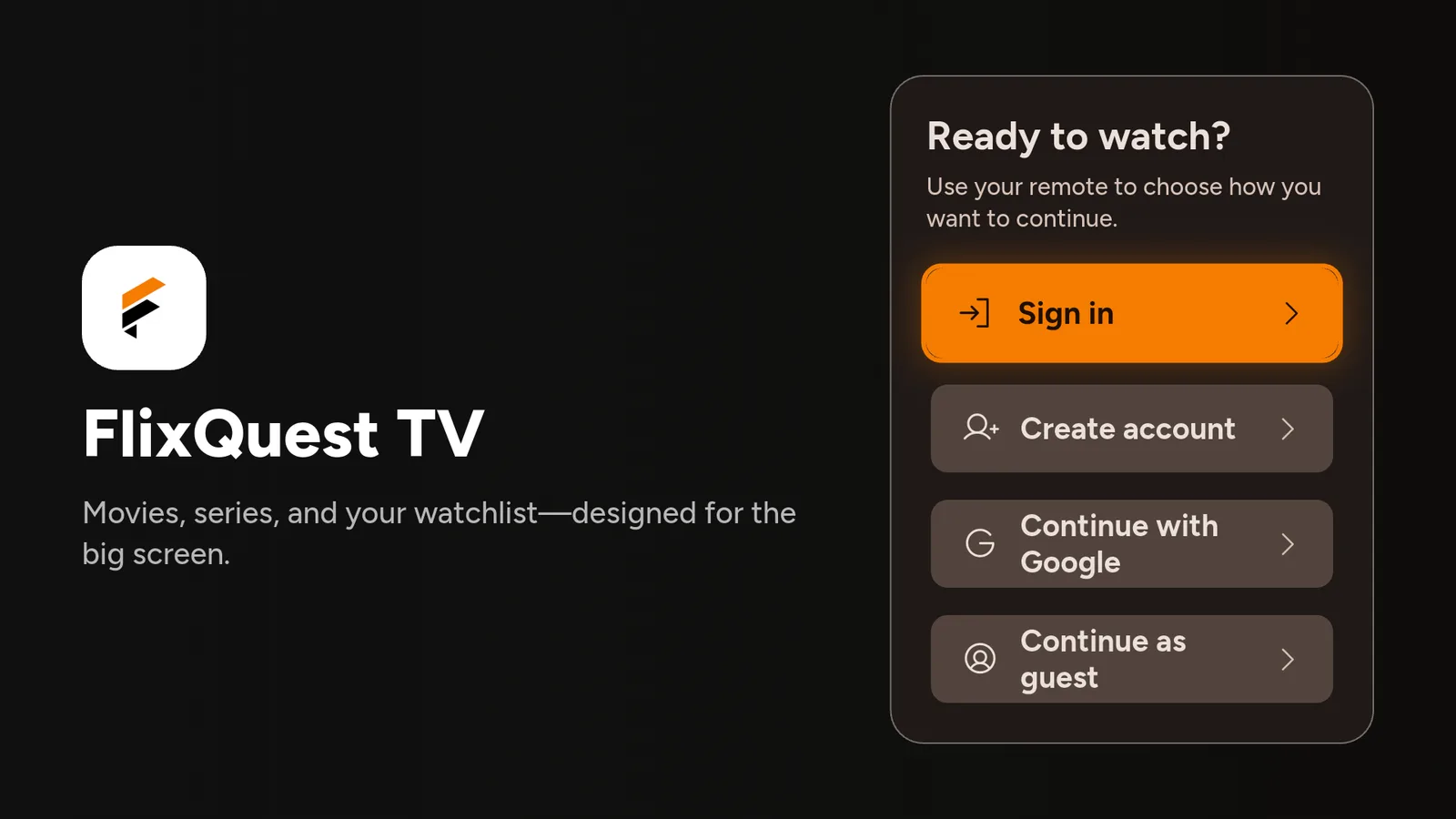
- No account needed. Choose Continue as guest and go straight in.
Install FlixQuest on a Fire Stick
FlixQuest is not in the Amazon store, so you install it through our free tools. Easiest first:
- Open Downloader and type newstore.tv to install TV Wizard, our setup app that puts the app stores in for you.
- Or open LinkDrop at linkdrop.store and find FlixQuest. It is in the Trending list right now, or click Explore the collection and look there.
- Select Download, then Install when your device asks, and open it.

First time sideloading? The sideloading guide covers every tap, and if Downloader is blocked, turn on Install Unknown Apps first.
Install FlixQuest on an ONN 4K or Android TV box
ONN and Google TV boxes make it quicker. Open LinkDrop on the box, find FlixQuest, and install it. Prefer Browsy? The Browsy code list covers the apps in the store.
First launch: continue as a guest
The first time FlixQuest opens, it asks how you want to continue: Sign in, Create account, Continue with Google, or Continue as guest. Pick Continue as guest and you are in, no account needed. Signing in is only worth it if you want your progress and favourites saved.
Finding your way around
The menu runs down the left side:
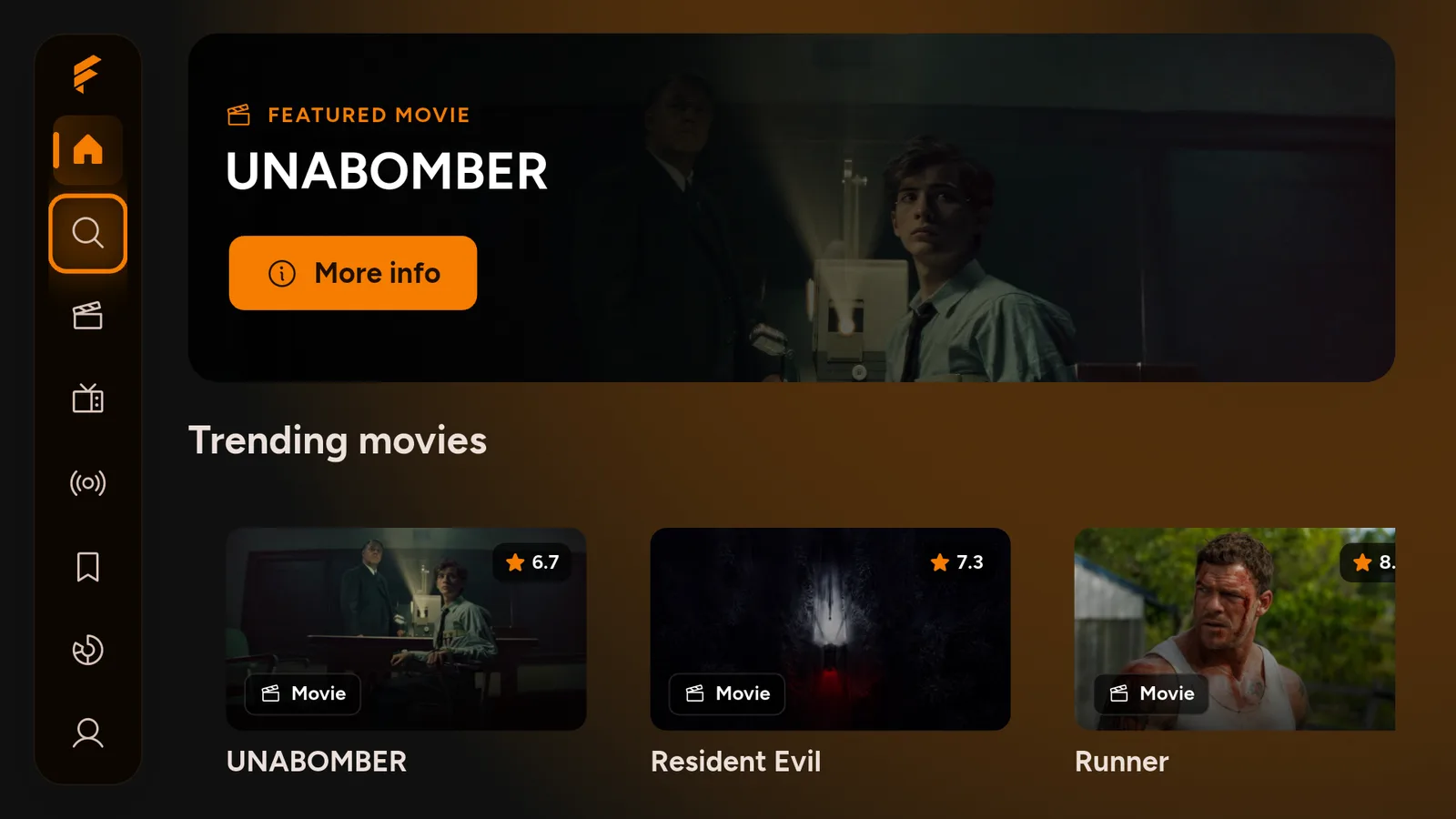
- Home: a featured pick and the trending movies row.
- Search: quicker than scrolling when you already know the title.
- Movies: switch between Discover, Top rated and Newest along the top.
- Series: the TV shows.
- Live TV: the 800+ channels.
- My List: everything you have saved.
- Insights: a private summary of what you have watched this week.
- Profile: your account and settings.
If FlixQuest shows an Update available banner at the top, it is offering a newer version. Pick Update to install it, or Not now to carry on watching.
Turn on your VPN first
On any app like this, connect a VPN before you stream. Without one your provider can see what you watch and quietly throttle it, which is what most buffering actually is. We use IPVanish on a United States server. Here is why a VPN matters.
A VPN is for privacy. It does not make content you are not authorized to watch okay to watch, so stick to what is allowed where you live.
If FlixQuest will not play
- Try a different title or channel.
- If Live TV says "Something went wrong" and will not load the guide, connect your VPN to a United States server and tap Retry.
- Restart the Fire Stick or ONN box if it has been on a while.
- Reinstall the latest FlixQuest from LinkDrop.
If FlixQuest installs but will not open at all, that is a separate Fire TV block with its own fix: when an app won't open.
Stay private on your Fire Stick with IPVanish
It's the VPN I run on my own Fire Stick. It hides what you stream and sideload from your internet provider, and unblocks a lot more.
Frequently asked questions
Do I need an account for FlixQuest?+
No. Choose Continue as guest on the first screen. Sign in only if you want your progress and favourites saved.
How many live channels does FlixQuest have?+
More than 800 at the time of writing, alongside the movies and series.
Is FlixQuest in the Amazon App Store?+
No. Install it through LinkDrop at linkdrop.store, or through TV Wizard with newstore.tv in Downloader.
Does FlixQuest work on ONN and Android TV?+
Yes. Open LinkDrop on the box and install it from there.
What is the Insights tab?+
A private weekly summary of what you have watched. It fills in once you start watching.
FlixQuest is on this month's list alongside the other apps I am running right now.
Comments0
Join the conversation. Be kind, and no piracy talk.