
How to Install Sozo TV
Install Sozo TV on a Fire Stick, ONN 4K or Android TV through LinkDrop, then switch to the VIDAPI source if you use it as a Guest.
Sozo TV has been a solid option for a while now, and it keeps earning its spot on my monthly list. It covers movies, TV shows and anime, it works fine without an account, and there is one source setting worth checking before you start. Here is how to install it and set it up.
What Sozo TV gives you
- Movies and TV shows, with a genre row up front (Action, Adventure, Animation, Comedy, Crime, Documentary and more) and a Popular Movies row underneath.
- 36 sources out of the box, grouped into Sozo, Aniyomi and CloudStream providers, so anime is covered too.
- No account needed. It runs as a Guest straight away.
- Subtitle styling, so you can make subtitles readable from across the room.
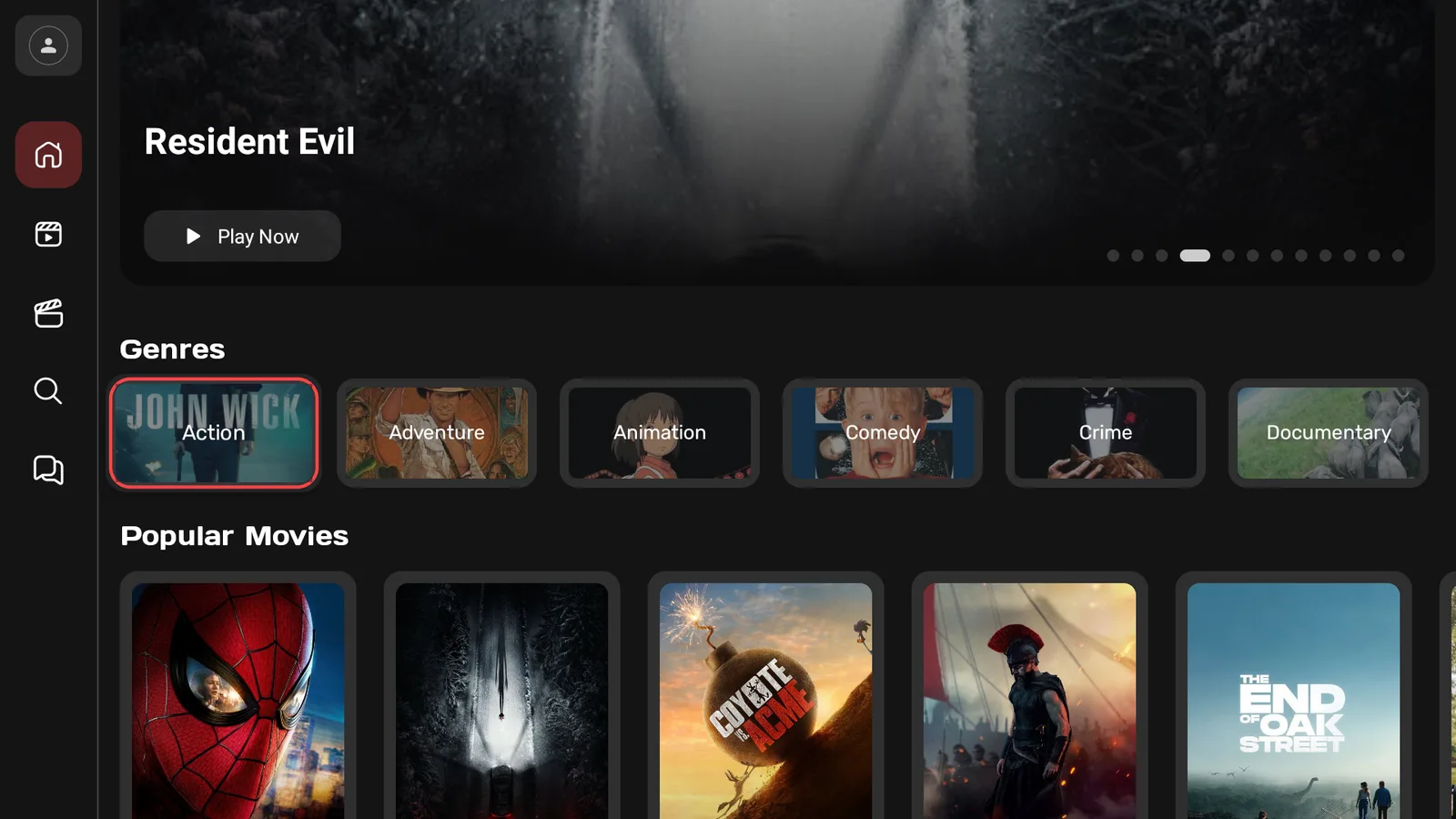
Install Sozo TV on a Fire Stick
Sozo TV is not in the Amazon store, so you install it through our free tools. Easiest first:
- Open Downloader and type newstore.tv to install TV Wizard, our setup app that puts the app stores in for you.
- Or open LinkDrop at linkdrop.store, click Explore the collection, and find Sozo.
- Select Install, let it finish, and open it.
First time sideloading? The sideloading guide covers every tap, and if Downloader is blocked, turn on Install Unknown Apps first.
Install Sozo TV on an ONN 4K or Android TV box
ONN and Google TV boxes make it quicker. Open LinkDrop on the box, find Sozo in the collection, and install it. Prefer Browsy? The Browsy code list covers the apps in the store.
The one setting to check: VidAPI
If you use Sozo TV as a Guest, this is the setting that matters.
- Select the profile icon at the top of the left-hand menu. It opens My Account, which shows you are on a Guest account.
- Choose Sources.
- Make sure VidAPI is the active provider. It sits at the top of the Sozo list and shows a red Active label when it is selected.
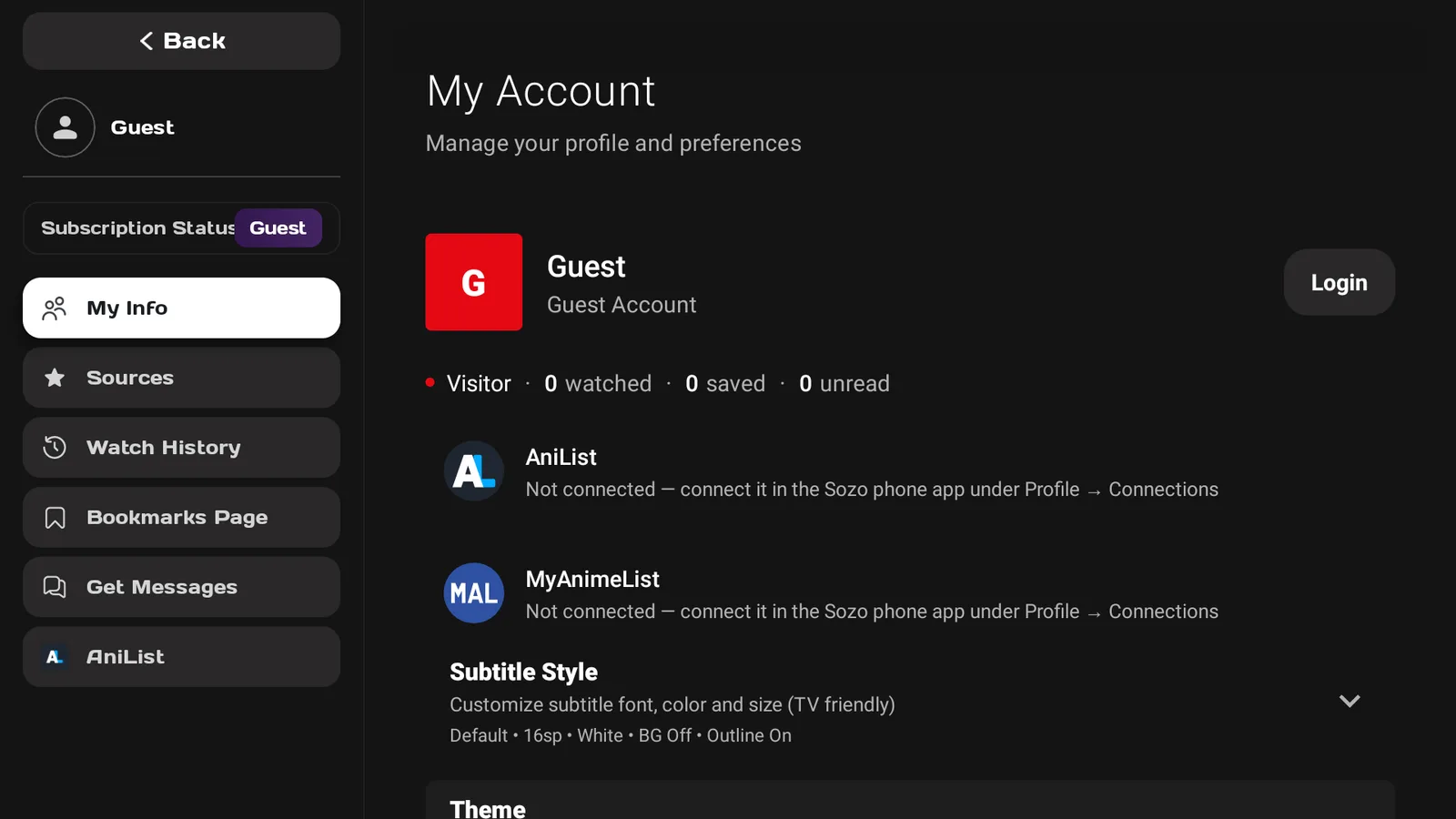
That source has worked well in my testing. If titles stop loading later on, come back to this screen, press Update sources at the top right, and try again.
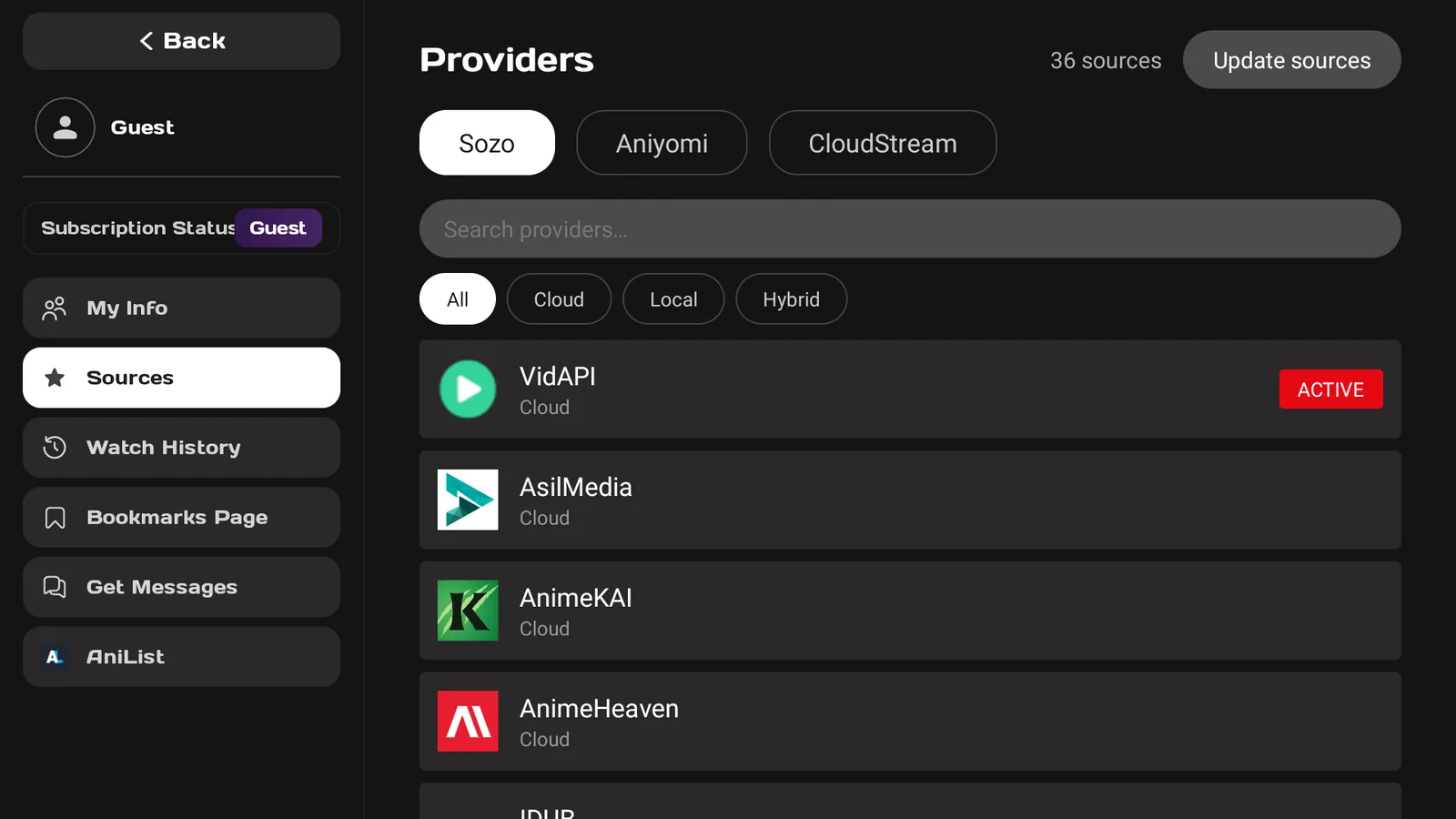
Make subtitles easier to read
In My Account, open Subtitle Style to change the font, colour and size. The default is white text with an outline, which works on most TVs, but bump the size up if you sit a long way back.
Tracking anime with AniList or MyAnimeList
Sozo can sync with AniList and MyAnimeList, but you connect them from the Sozo phone app, under Profile then Connections, not on the TV itself.
Turn on your VPN first
On any app like this, connect a VPN before you stream. Without one your provider can see what you watch and quietly throttle it, which is what most buffering actually is. We use IPVanish on a United States server. Here is why a VPN matters.
A VPN is for privacy. It does not make content you are not authorized to watch okay to watch, so stick to what is allowed where you live.
If Sozo TV will not play
- Check VidAPI is still active under Sources.
- Press Update sources and try again.
- If it still will not load, try another provider from the list.
- Reconnect your VPN.
- Restart the Fire Stick or ONN box.
- Reinstall the latest Sozo from LinkDrop.
If Sozo TV installs but will not open at all, that is a separate Fire TV block with its own fix: when an app won't open.
Stay private on your Fire Stick with IPVanish
It's the VPN I run on my own Fire Stick. It hides what you stream and sideload from your internet provider, and unblocks a lot more.
Frequently asked questions
Which source should I use in Sozo TV?+
VidAPI. Open the profile icon, then Sources, and make sure it is marked Active.
Do I need an account?+
No. Sozo TV runs as a Guest out of the box.
Does Sozo TV have anime?+
Yes. Alongside the Sozo providers there are Aniyomi and CloudStream groups, which include anime sources.
Can I connect AniList or MyAnimeList?+
Yes, from the Sozo phone app under Profile then Connections.
Is Sozo TV in the Amazon App Store?+
No. Install it through LinkDrop at linkdrop.store, or through TV Wizard with newstore.tv in Downloader.
Does Sozo TV work on ONN and Android TV?+
Yes. Open LinkDrop on the box and install it from the collection.
Sozo TV is on this month's list with the rest of what I am running right now.
Comments0
Join the conversation. Be kind, and no piracy talk.